Table of Contents
The latest BeeGraphy update introduces a major leap forward in how designers and developers interact within the BeeGraphy interface. With new core nodes, interactive tools, and editor-level enhancements, this release focuses on making parametric design more intuitive, responsive, and user-centric.
From geometry primitives, dimensioning systems, interactive nodes, and improved 3D object handling, to productivity features like Omni Search, enhanced viewport controls, and refined editor workflows – every update is designed to reduce friction and improve clarity while working with complex parametric models.
Alongside these additions, BeeGraphy now introduces configurator language controls, allowing online sellers to localize product experiences and serve global customers more effectively.
Together, these updates strengthen BeeGraphy as a comprehensive parametric design and configurator platform—empowering users to build, customize, localize, and deliver interactive products with greater speed and confidence.
BeeGraphy Core Node Updates
We have expanded BeeGraphy’s core node system with Geometry Primitives, Dimension Nodes, Interactive Nodes, and enhanced Object 3D Nodes. These updates strengthen the foundation of parametric modeling by improving volumetric form creation, in-canvas documentation, direct interaction within the viewport, and seamless integration of external geometry – making workflows more intuitive, precise, and production-ready.
1. Pyramid Nodes
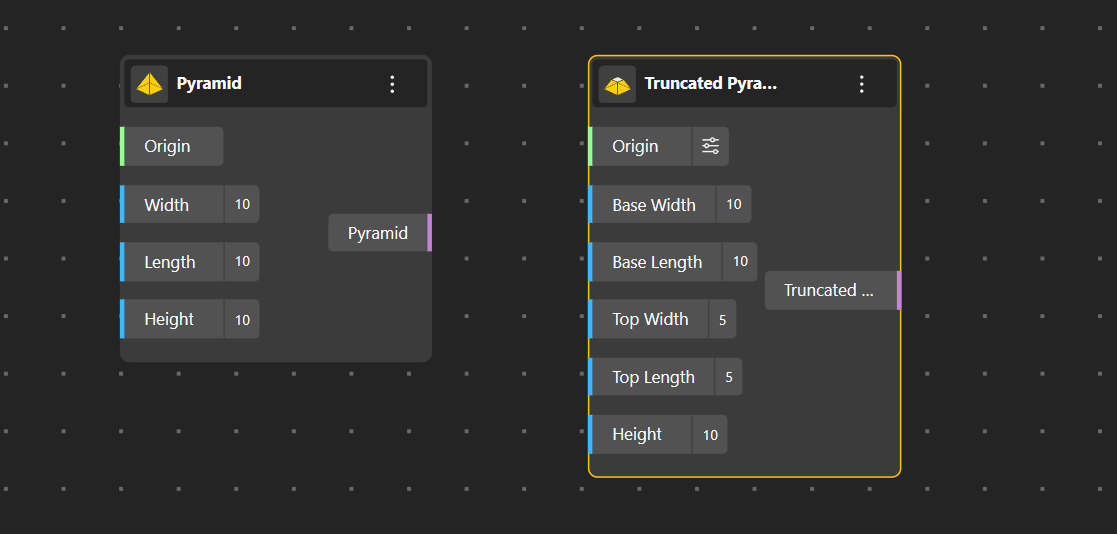
We’ve added a new set of primitive solid geometry nodes designed to make volumetric form creation faster, clearer, and more controllable within parametric workflows. The Pyramid Nodes introduce both standard and truncated pyramid geometries, giving designers precise control over base dimensions, height, and top proportions.
- Pyramid: Generates a classic pyramid geometry defined by origin, width, length, and height. This node provides a simple yet powerful primitive for massing studies, conceptual architecture, and parametric form exploration.
Ideal for: conceptual massing, geometric studies, base forms for further subdivision, and architectural primitives. - Truncated Pyramid: Creates a pyramid with a flat top by independently controlling base width, base length, top width, top length, and height. This allows designers to generate tapered volumes and stepped forms with precision—useful for architectural envelopes, product design, and fabrication-ready geometries.
Ideal for: architectural massing, tapered structures, podium forms, product housings, and fabrication-aware volumetric modeling.
2. Dimension Nodes
BeeGraphy introduces a complete set of Dimension Nodes that enable precise, fully parametric measurement and annotation directly within design workflows. All dimensions remain dynamically linked to geometry, updating automatically as parameters change – ensuring accuracy across design development, validation, and production.
- Distance Dimension: Creates linear measurements between two reference points with control over direction, offset, precision, and unit formatting.
Ideal for: spacing control, linear measurements, and technical validation. - Radial Dimension: Measures the radius of circular geometry from a defined center, supporting offsets, precision control, and visual markers.
Ideal for: arcs, fillets, circular features, and curved components. - Diametrical Dimension: Displays the full diameter of circular geometry with clear directional alignment and formatting control.
Ideal for: holes, pipes, cylindrical parts, and circular profiles. - Dimension 2D: Generates parametric width, height, and diagonal measurements directly from 2D geometry with selective axis visibility.
Ideal for: plans, sections, elevations, and 2D layouts. - Dimension 3D: Extracts width, length, height, and diagonal measurements from volumetric geometry in real time.
Ideal for: 3D assemblies, spatial validation, and fabrication-aware models. - Angular Dimension: Measures angles between directions or vectors with control over radius, offset, precision, and units.
Ideal for: joints, rotations, mechanical detailing, and angular alignment. - Pin Label: Adds flexible annotation labels between two points with customizable text, offset, and size.
Ideal for: callouts, notes, and part identification. - Dimension Style: Provides centralized control over line properties, arrows, text appearance, backgrounds, and opacity for all dimension outputs.
Ideal for: consistent documentation standards and clean presentation.
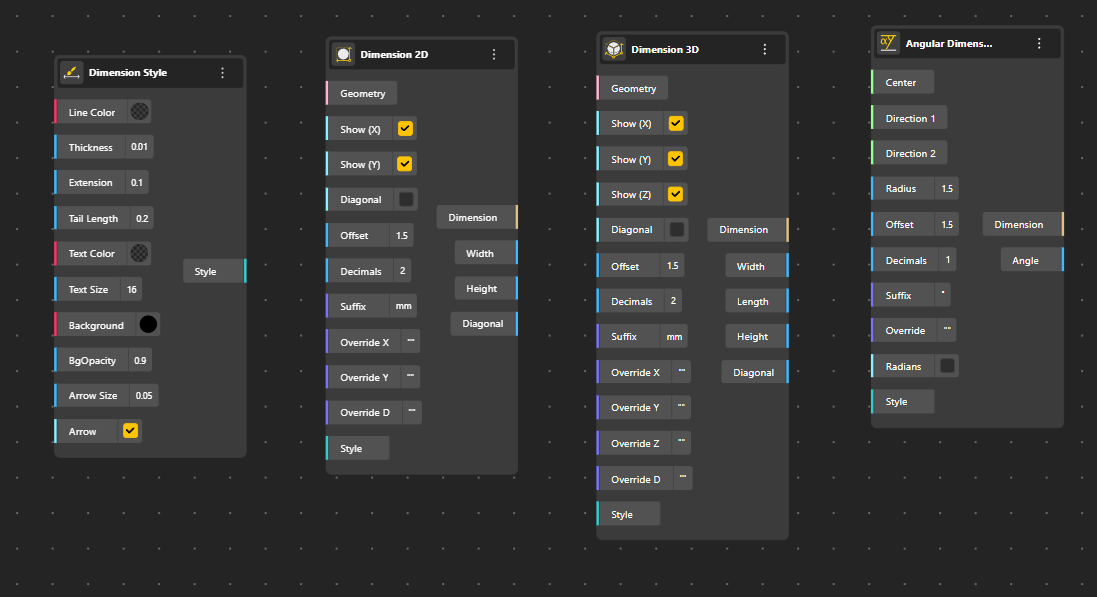
2D, 3D, and angular dimension nodes in BeeGraphy for precise measurement, orientation, and styling control.
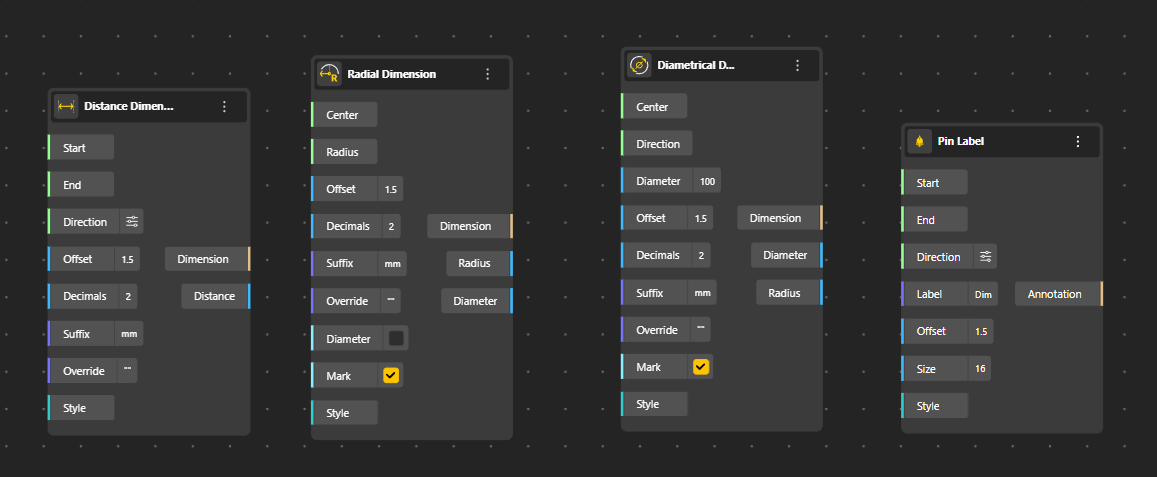
Distance, radial, diametrical dimensions, and pin labels for clear, accurate parametric annotation.
3. Interactive Nodes
BeeGraphy introduces the Interactive Point system to bridge the gap between parametric logic and user experience. This feature moves the design interface directly into the 3D scene, allowing users to access and adjust controls by interacting with specific parts of the geometry rather than searching through global menus.
- Interactive Point: Creates a clickable anchor at defined 3D coordinates that acts as a visual trigger. When clicked, it activates linked parameters right at the source, making the design process more intuitive and visually driven.
Ideal for: Product configurators, client presentations, and creating “app-like” experiences within the viewport.
- Contextual Grouping: Binds specific groups of input parameters—such as dimensions, colors, or material selectors—to a localized point. This ensures users are presented with only the relevant controls for the specific feature they are currently interacting with.
Ideal for: Reducing interface clutter, organizing complex models, and focusing user attention on specific sub-components.
- Dynamic Positioning: Since the interactive point is defined by parametric coordinates (X, Y, Z), the control handle stays logically attached to the geometry. If the model changes size or shape, the interaction point moves with it automatically to maintain alignment.
Ideal for: Variable designs, scaling geometry, and keeping controls accessible on moving parts.
4. Object 3D Nodes Improvements
BeeGraphy expands its geometry workflow with enhanced Object 3D nodes, enabling seamless import and structured analysis of external 3D models within parametric definitions. These nodes allow designers to bring in existing geometry and extract meaningful data for further manipulation, analysis, and fabrication-aware workflows.
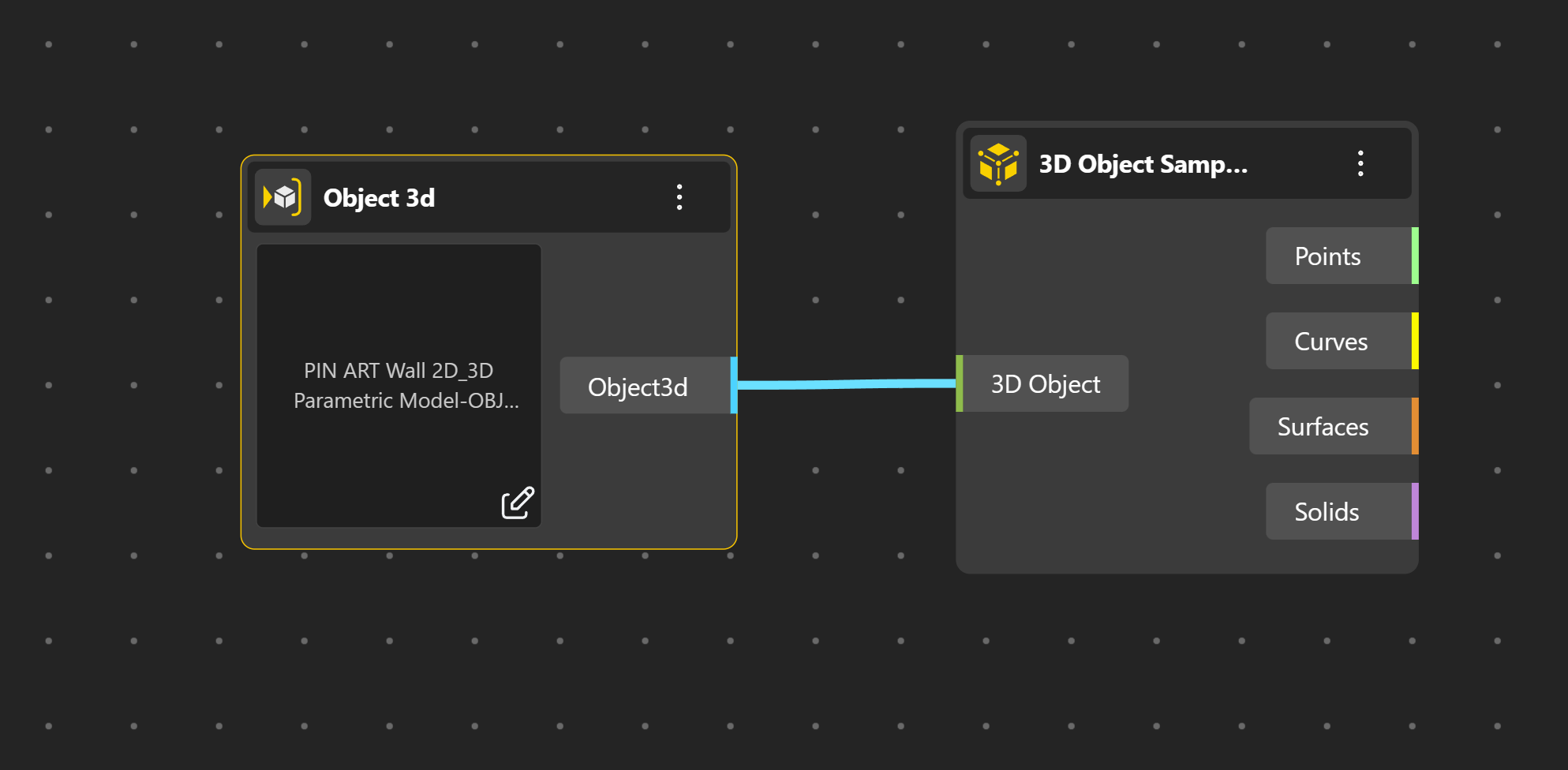
- Object 3D: Allows users to upload and reference external 3D object files directly inside the Node Editor. The imported object becomes a parametric input that can be visualized, transformed, and connected to downstream nodes for further processing.
Ideal for: bringing existing models into BeeGraphy, hybrid workflows, visualization, and reuse of external geometry. - 3D Object Sampler: Processes an imported 3D object and extracts structured geometric data from it, separating the object into points, curves, surfaces, and solids. This enables deeper analysis and reuse of imported geometry within parametric systems.
Ideal for: geometry analysis, decomposition of complex models, data-driven transformations, and fabrication preparation.
BeeGraphy Editor Updates
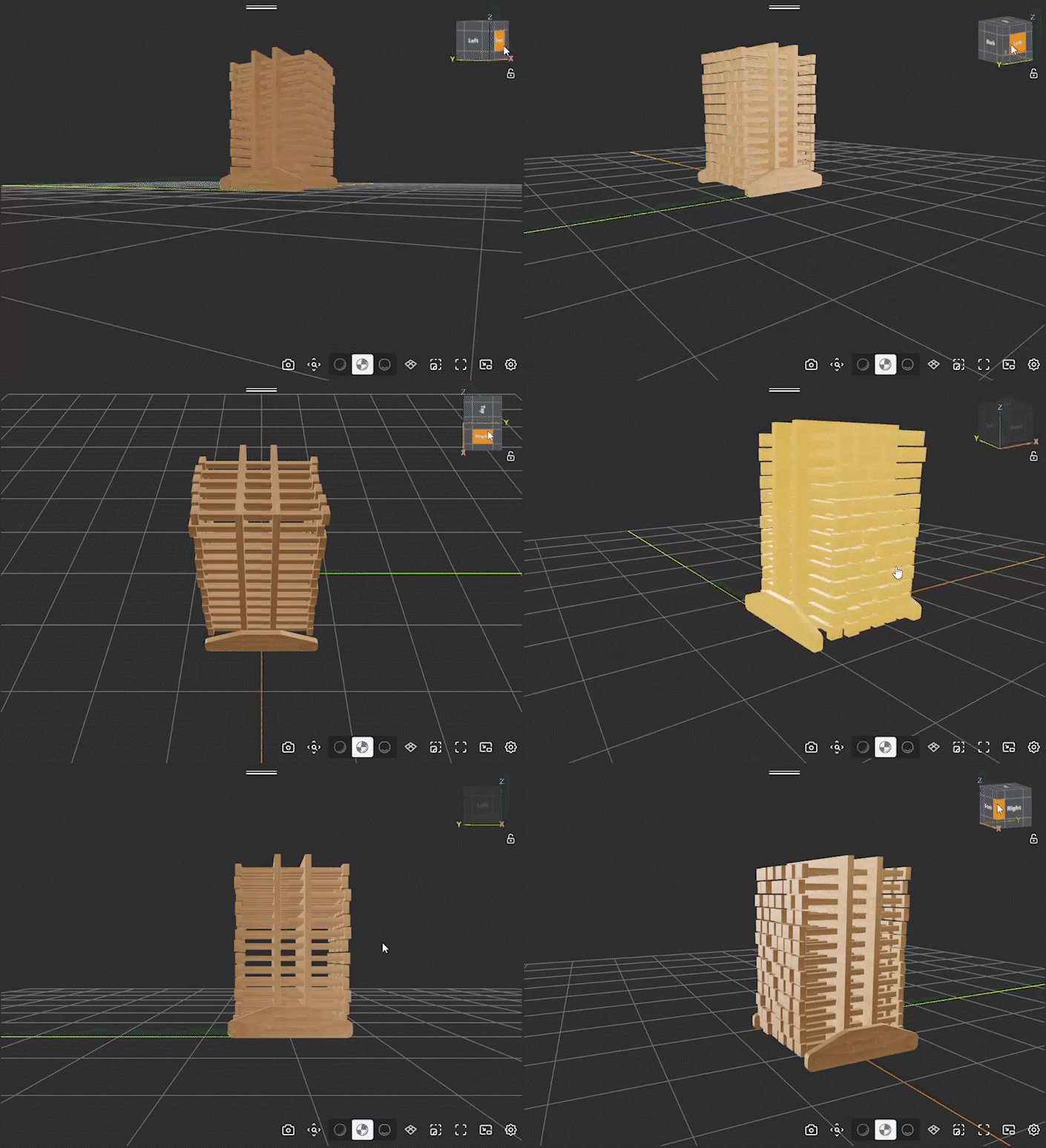
We have enhanced the BeeGraphy Editor with productivity-focused updates including Omni Search, Modal Menu Actions, Thumbnail Generator and Gizmo Improvements. These changes streamline navigation, reduce context switching, and improve spatial control within the editor, making every day modeling, iteration, and publishing workflows faster and more intuitive.
1. Omni-search
BeeGraphy introduces Omni Search, a powerful, centralized search and command interface designed to dramatically speed up navigation, node creation, and editor actions. Omni Search brings nodes, commands, and actions into one fast, keyboard-first interface, just press Shift to open it instantly inside the BeeGraphy Editor.
With real-time results, keyboard-first interaction, and smart filtering, Omni Search transforms how users interact with the BeeGraphy Editor.
- Unified Search Experience: Search across nodes, commands, actions, and utilities from one interface. Whether you’re creating new nodes, jumping to existing ones, or triggering editor actions, Omni Search keeps everything accessible in seconds.
- Create, Jump, Peek, and Run Actions: Each search result supports contextual actions—allowing users to instantly create nodes, jump to existing nodes on the canvas, preview results, or execute commands without leaving the search interface.
- Segmented Result Filtering: Results are intelligently categorized into sections such as Active nodes, Create actions, and Commands, making it easier to narrow down exactly what you’re looking for as definitions grow in complexity.
- Keyboard-First Workflow: Designed for speed and efficiency, Omni Search supports hotkey activation and full keyboard navigation, enabling rapid workflows without breaking focus or switching tools.
- Improved Result Sorting and Relevance: Search results are dynamically ranked and refined to surface the most relevant matches first, ensuring faster access even in large graphs.
- Enhanced UI and Focus Handling: A refined interface, improved focus behavior, and smooth state handling ensure that search, selection, and execution feel responsive and reliable across workflows.
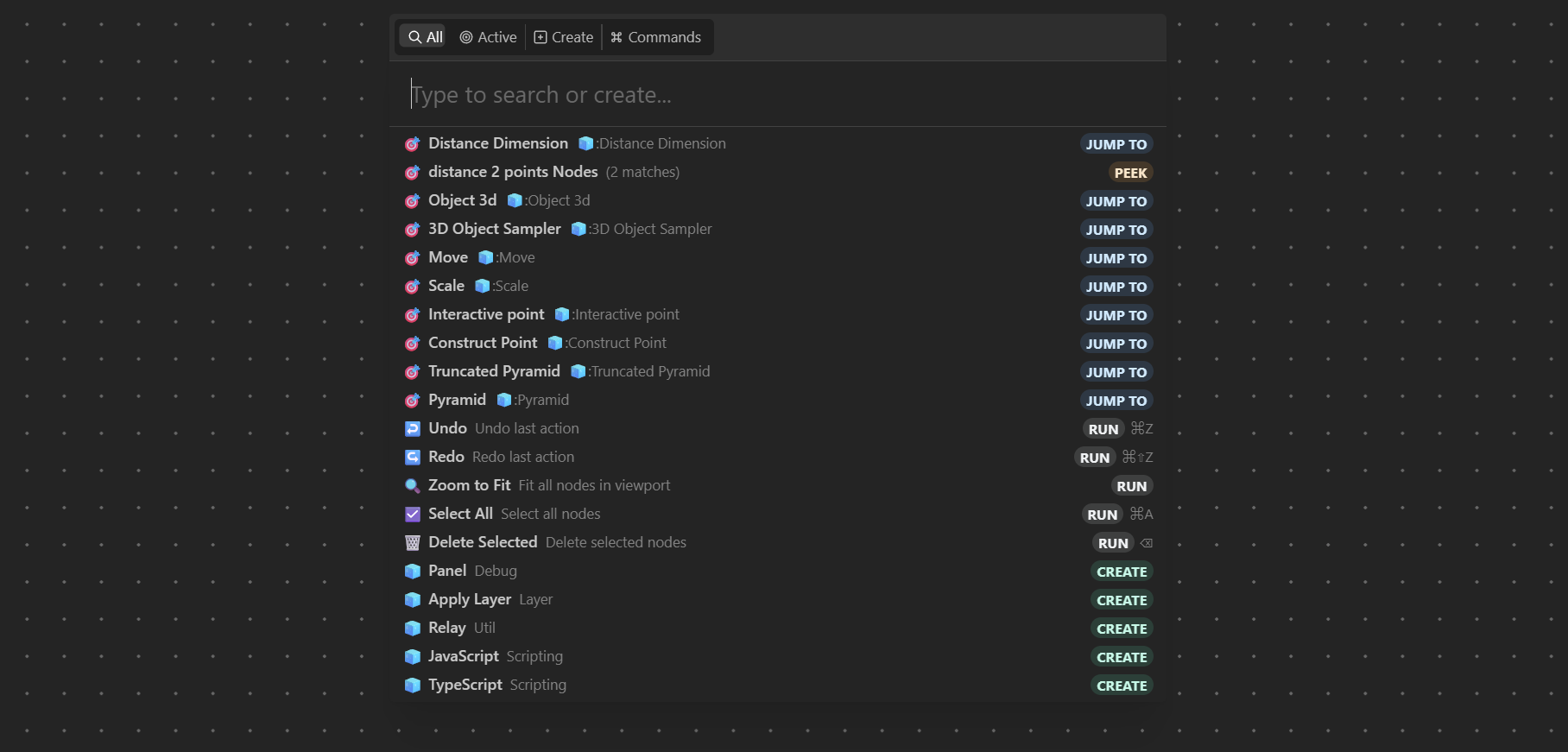
Omni Search: Press Shift to search, create, and jump instantly.
2. Modal Menu Actions
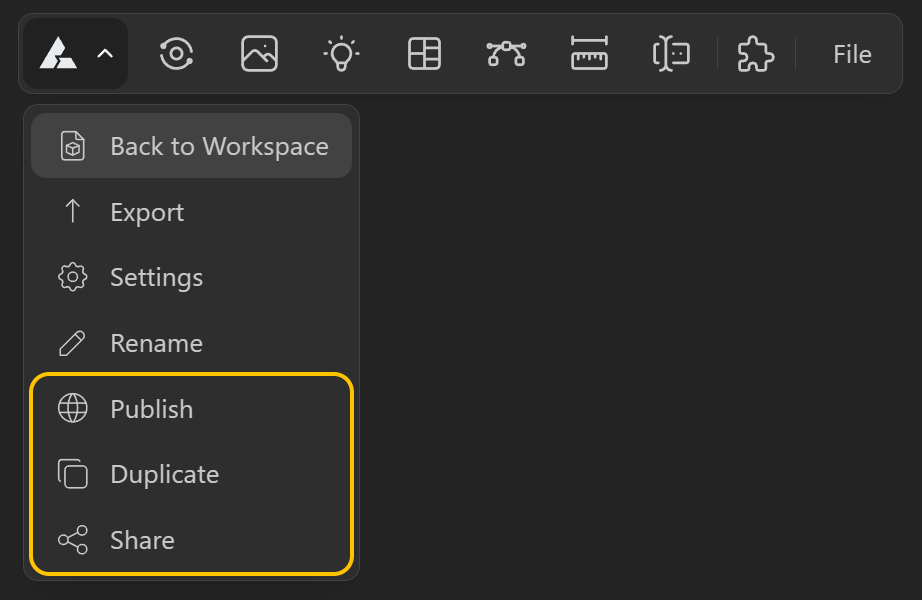
To make the Node Editor workflow faster and more self-contained, BeeGraphy now expands the model menu inside the Editor with key actions that were previously limited or required leaving the workspace. Users can now duplicate, share, and publish directly from the same menu, keeping iteration and distribution seamless.
- Duplicate: Quickly creates a copy of the current model, enabling rapid iteration, experimentation, and version branching without rebuilding from scratch.
- Share: Generates share options directly from the editor, allowing users to distribute the model via link (and embed-ready sharing where applicable) without switching contexts.
- Publish: Lets users publish the model straight from the editor menu using the same publish logic—making it easier to push updates live the moment a workflow is ready.
3. Gizmo Improvements
4. Thumbnail Generator
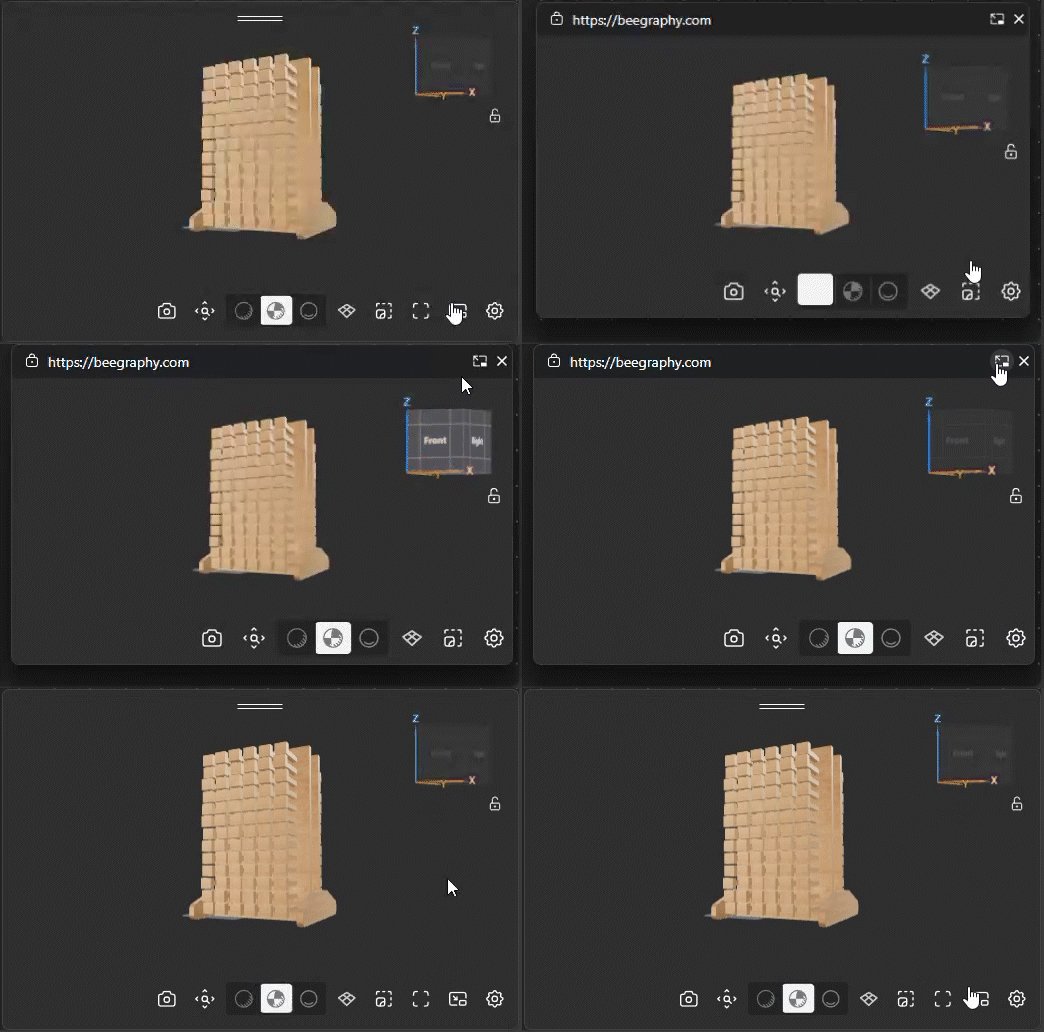
BeeGraphy introduces a built-in Thumbnail Generator that allows users to capture high-quality static or animated previews directly from the 3D Viewer. This makes it easy to generate consistent visuals for models without leaving the editor.
- In-Viewer Capture: A capture button is available inside the 3D Viewer, allowing users to generate thumbnails instantly from the current camera view.
- Configurable Preview Settings: Thumbnail behavior can be adjusted from Settings → Thumbnail, including preview type such as static, 360° spin, or rocking animation.
- Quality Control for Animations: Users can choose frame quality options to balance generation speed and smoothness when creating animated previews.
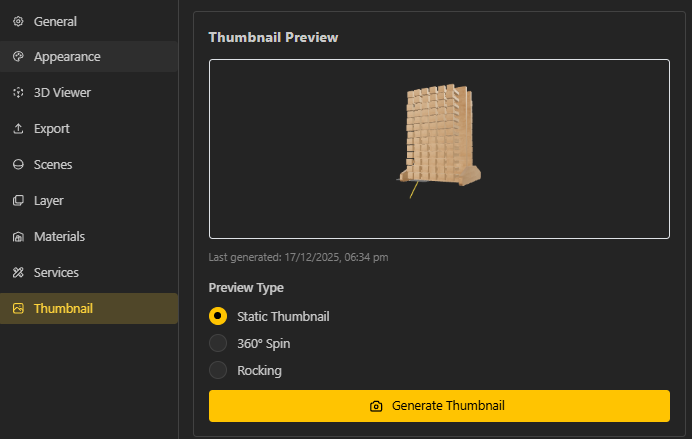
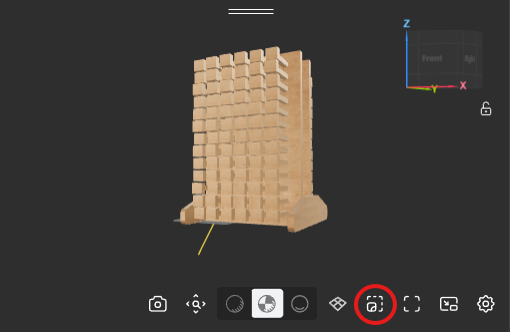
Thumbnail Generator Output
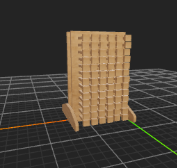
Static
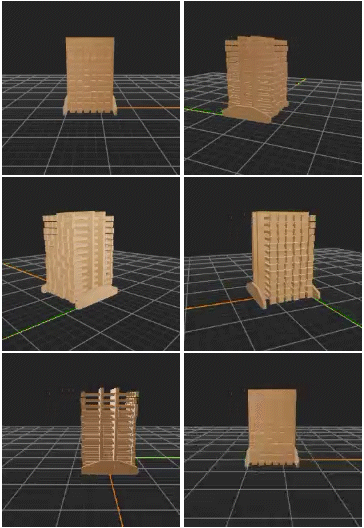
360°
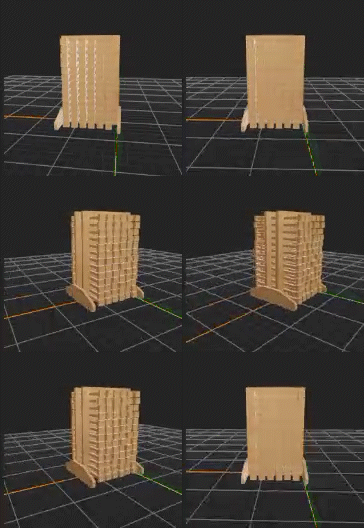
Rocking
Business Updates: Configurator Localization & Language Defaults
BeeGraphy Business Dashboard now includes robust localization tools, allowing manufacturers and brands to tailor the configurator experience for global markets. Through the Catalog interface, administrators can now translate specific UI elements and enforce default languages, ensuring that end-users interact with the product in their native language immediately upon loading.
- Field-Level Translation Management: Provides a dedicated interface within the Business Dashboard to input translations for every visible text element in the configurator—including Node Groups, Range Inputs, and static labels. Admins can manage multiple languages (such as Japanese, French, German, etc.) side-by-side without altering the core parametric logic.
Ideal for: Brands expanding into international markets and ensuring technical terminology is accurate across languages. - Default Language Assignment: Allows administrators to define which language file loads automatically when the configurator is accessed. Instead of relying on browser detection or manual user switching, the specific catalog item can be hard coded to launch in a target language (e.g., setting “Japanese” as the default for a specific URL or embed).
Ideal for: Regional e-commerce sites, country-specific marketing campaigns, and localized landing pages. - Centralized Catalog Localization: Streamlines the workflow by keeping translation management directly inside the Asset Catalog. Updates to text strings can be made and saved instantly without needing to re-open the 3D editor or adjust the underlying node graph.
Ideal for: Quick iterations on marketing copy and maintaining consistency across different regional versions of a product.
That’s a wrap for this update!
Next, we will be releasing detailed tutorials and workflows in the coming days for each of these updates. These will help you better understand the key use cases and how to apply them effectively. Follow us on our social media channels and YouTube to stay up to date on the latest tutorials.
We’re also developing features that will allow manufacturers to leverage Beegraphy’s parametric models as product configurators. Once complete, manufacturers will be able to sell customized products on platforms like WordPress, Shopify, Squarespace, and Etsy, as well as directly offer tailored finished items on Beegraphy Market. While this development process will take some time, we’ve chosen to share our progress in this update to invite your exploration and feedback.
We invite you to try out these new features, share your designs with the community, and send us feedback to help make BeeGraphy even better and more useful for everyone. Don’t forget to follow us on our socials and join our Discord community!