Table of Contents
How BeeGraphy is closing the most expensive gaps in the furniture manufacturing workflow, from a customer’s first click to the file a CNC machine runs.
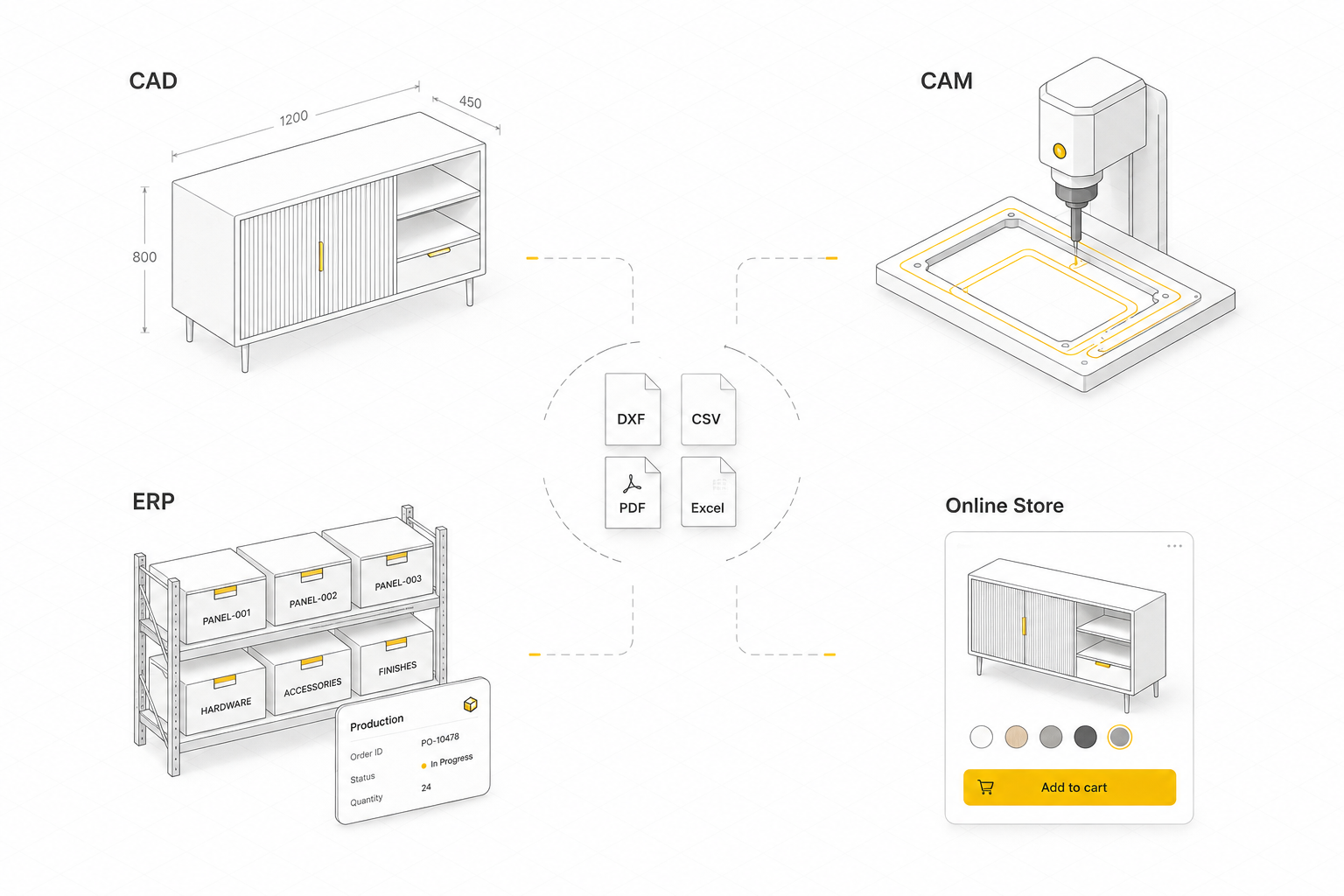
In furniture manufacturing, the digital workflow is rarely one system. Design happens in a CAD program, machining is prepared in a CAM package, orders and inventory live in an ERP, and sales run through an online store. Each of these tools performs its own role well. The problem is that none of them were built to work together, and moving a job from one to the next is manual work that falls on the manufacturer.
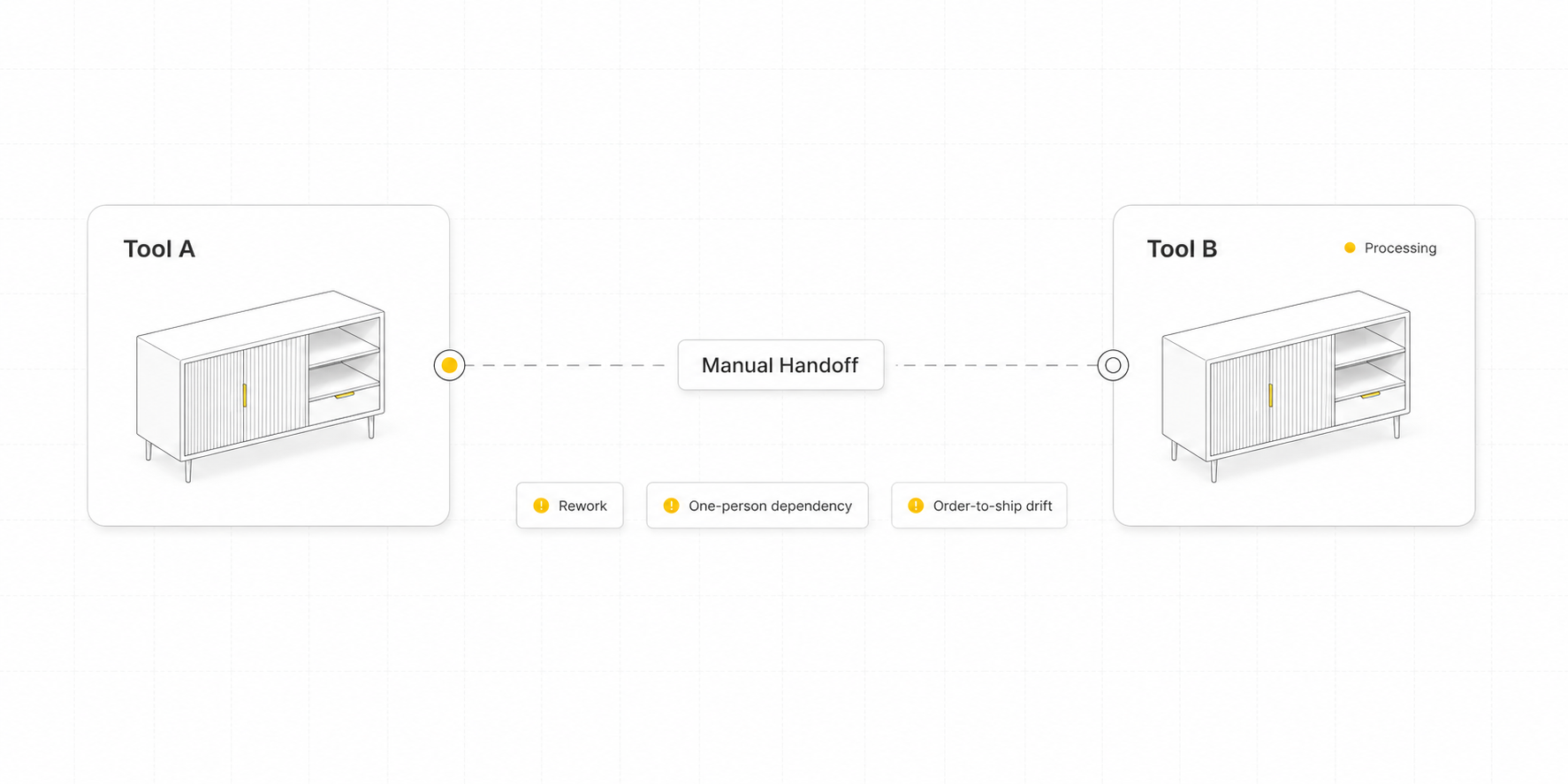
Consider a typical custom order. A customer requests a wardrobe in a non-standard size. The request arrives by email. A designer redraws the product in CAD to match the new dimensions, the geometry is then programmed in CAM software to produce the CNC program, and at every stage a person transfers the work between systems manually. Each of these handoffs costs a furniture manufacturing business the same three things:
- Rework. Someone re-enters what another system already knows, and every re-entry is a fresh chance for a wrong dimension or finish.
- One-person dependency. The job waits for the one person who knows how this drawing becomes cut panels.
- Order-to-ship drift. What the customer chose and what the shop floor builds slowly stop being the same thing.
That gap between tools is one of the most expensive problems in furniture manufacturing, and it is the one BeeGraphy is set to close. We arrived at it from an unexpected direction, and this is the story of how it happened.
It started with parametric design in the browser
BeeGraphy began as a parametric design environment that runs entirely in the browser. No installs, no license dongles, no file that only opens on the one machine it was created on. A model travels as a link. The person on the other end opens it, changes it, and sends it back, allowing easy accessibility and collaborative work on the web.
The tool worked, and it did exactly what we promised. Parametric design became something you could open and share as easily as a document.
That success raised a larger question. A capable tool does not automatically define a market, so we began examining who stood to gain the most from parametric models being this accessible. The answer came from the structure of the models themselves, and it pointed directly at manufacturers.
A furniture model can become a product
A parametric model is really just a set of rules. And once you have those rules, you don’t have to expose all of them to everyone.
Take a shelving system, for example. A manufacturer might have dozens of parameters controlling the design behind the scenes. But a customer doesn’t need to see all of that. They might only need to choose the width, the material, the finish, or the number of shelves. The rest can stay locked, protecting all the decisions that make sure the product remains structurally sound and manufacturable.
That is what a configurator does.
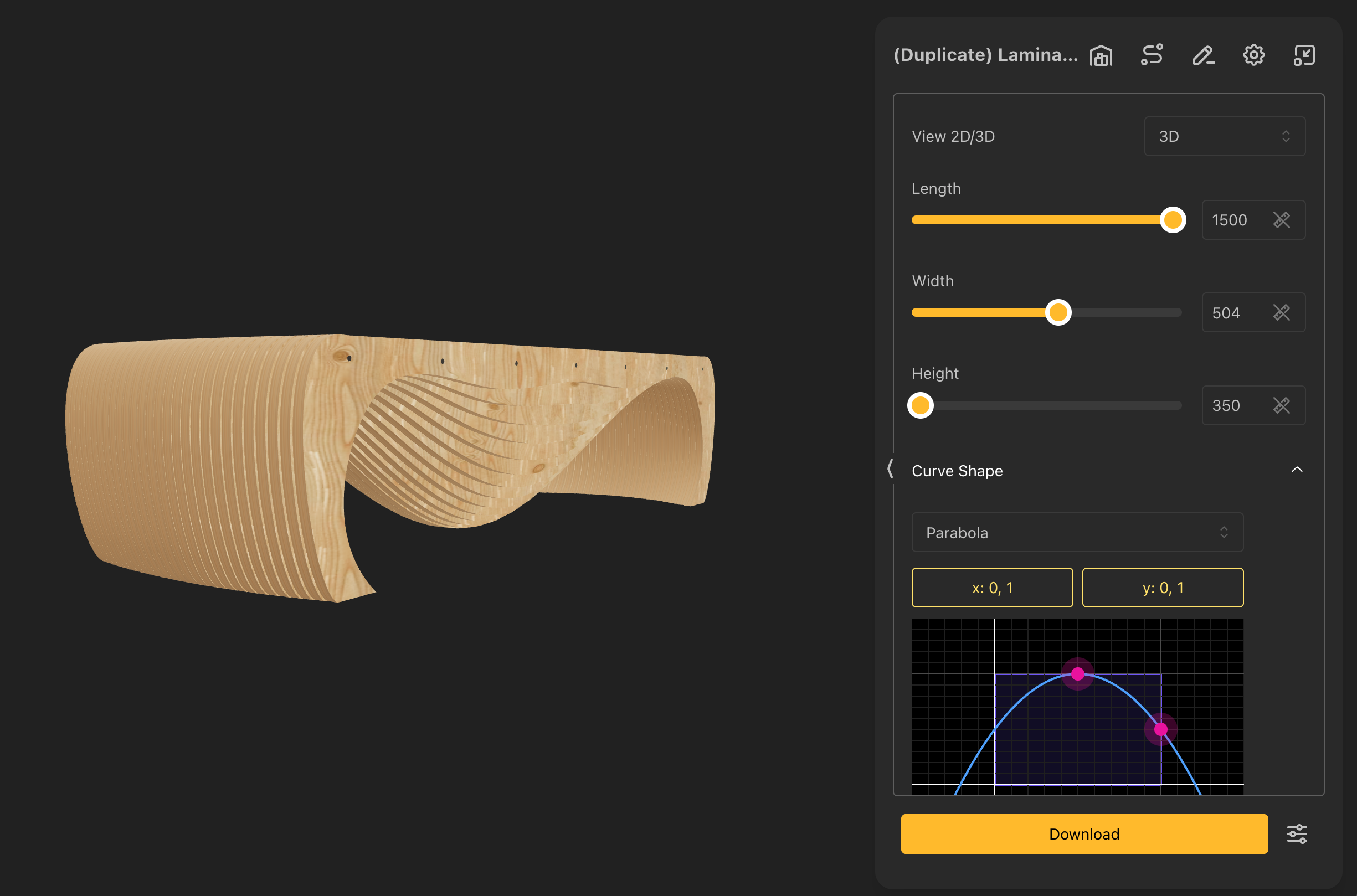
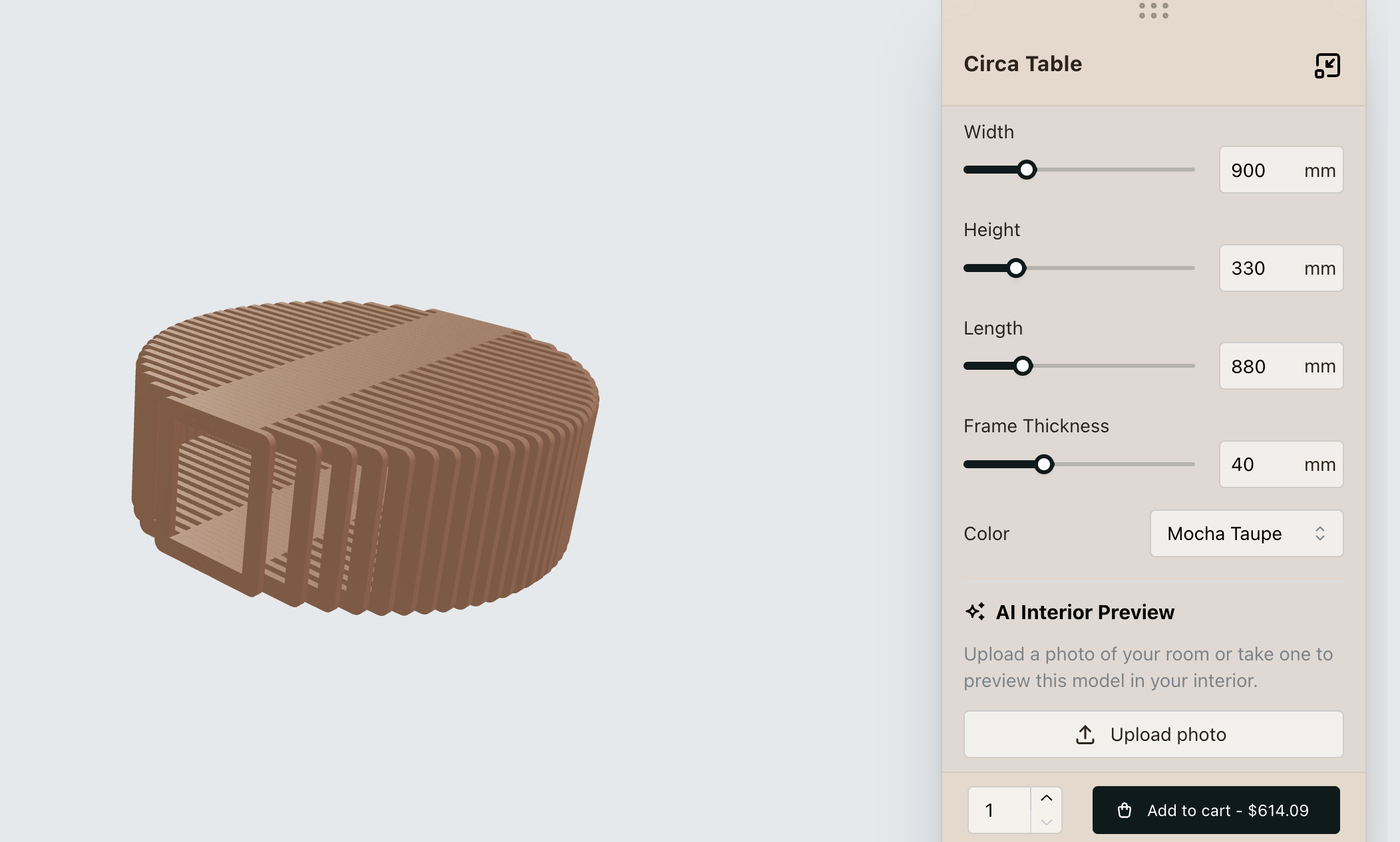
The configurator, fundamentally changed for whom the software was built for. The person using it is no longer a designer; it is the customer, choosing freely within a space the designer has already defined. They can explore every option the manufacturer offers, while the underlying rules ensure they can never create an invalid design.
That was the moment the product really found its footing.
We stopped thinking about how to get designers to adopt another tool and started thinking about how we could help manufacturers turn their own knowledge into a product their customers could use. A manufacturer already knows how their products should be made. They know the materials, the limits, the combinations that work, and the ones that don’t.
So that’s what we started doing. We began building configurators for real companies, working with their actual products and workflows, and following those workflows wherever they took us. And with every company, we learned a little more about what this product could become.
“Can you give us the G-code?”
One of those companies was Paraform, who make configurable interior products, exactly the territory where furniture manufacturing meets e-commerce. We wired a configurator into their site: a customer drags a dimension, the geometry updates live, an order comes through. Then we showed them something most online stores never reach. Every order could generate its exact production geometry as a downloadable DXF, straight from the same model the customer had just configured.
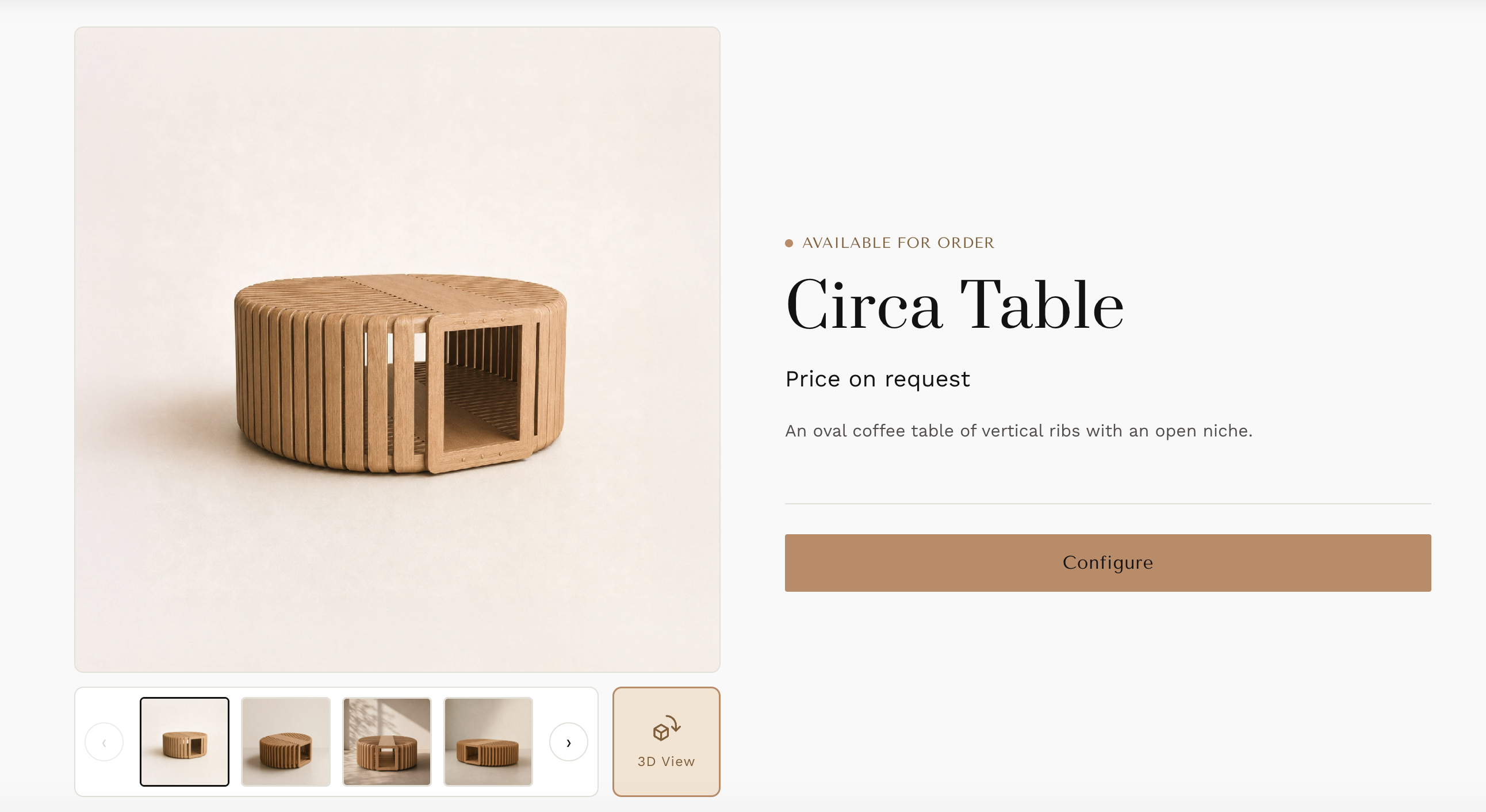
Circa Table by Paraform
They loved it. And then came the question that changed everything: Can you give us the G-code?
They were not simply asking for another feature. They were pointing at the exact place where automated workflows stop. A DXF is where most digital pipelines quietly hand the work back to a person: someone still opens the file in CAM software, decides which tool cuts what, sets the depths and the sequence and the safe movements, and only then does a machine have something to run. Paraform saw their automation stopping one step short of the machine, and they were right to want more.
The real problem in furniture manufacturing
That question led us to the realization this whole story turns on.
A DXF describes what the shapes are, but it says nothing about how those shapes become a part. The missing information includes:
- Which tool touches the panel
- How deep each cut runs
- In which direction and in what order the operations happen
- How the tool enters and leaves the material without damaging the piece or the machine
That knowledge lives in a CNC operator’s head, not in the file. The same pattern repeats at every boundary between tools: the file carries the data, while a person carries the knowledge.
Access was the problem we set out to solve, and we solved it well. Fragmentation was the problem worth building a company around. Every tool in the chain answers one question and stops at its own edge:
- A rendering shows what the product looks like
- A configurator defines what the customer can choose
- A bill of materials lists what the product is made of
- A DXF describes the shapes to be cut
Each is genuinely useful on its own, and none of them carries the job to the next stage. The manufacturer spends the day moving work across the gaps between them.
One model, one cloud
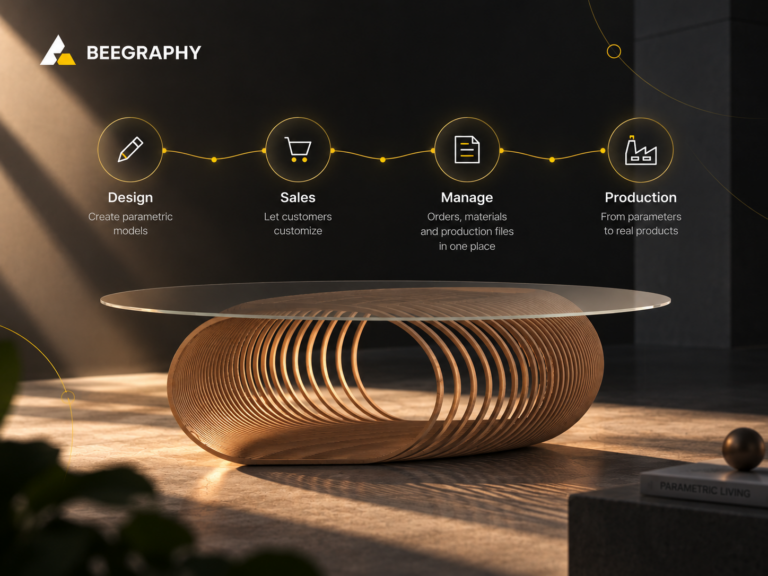
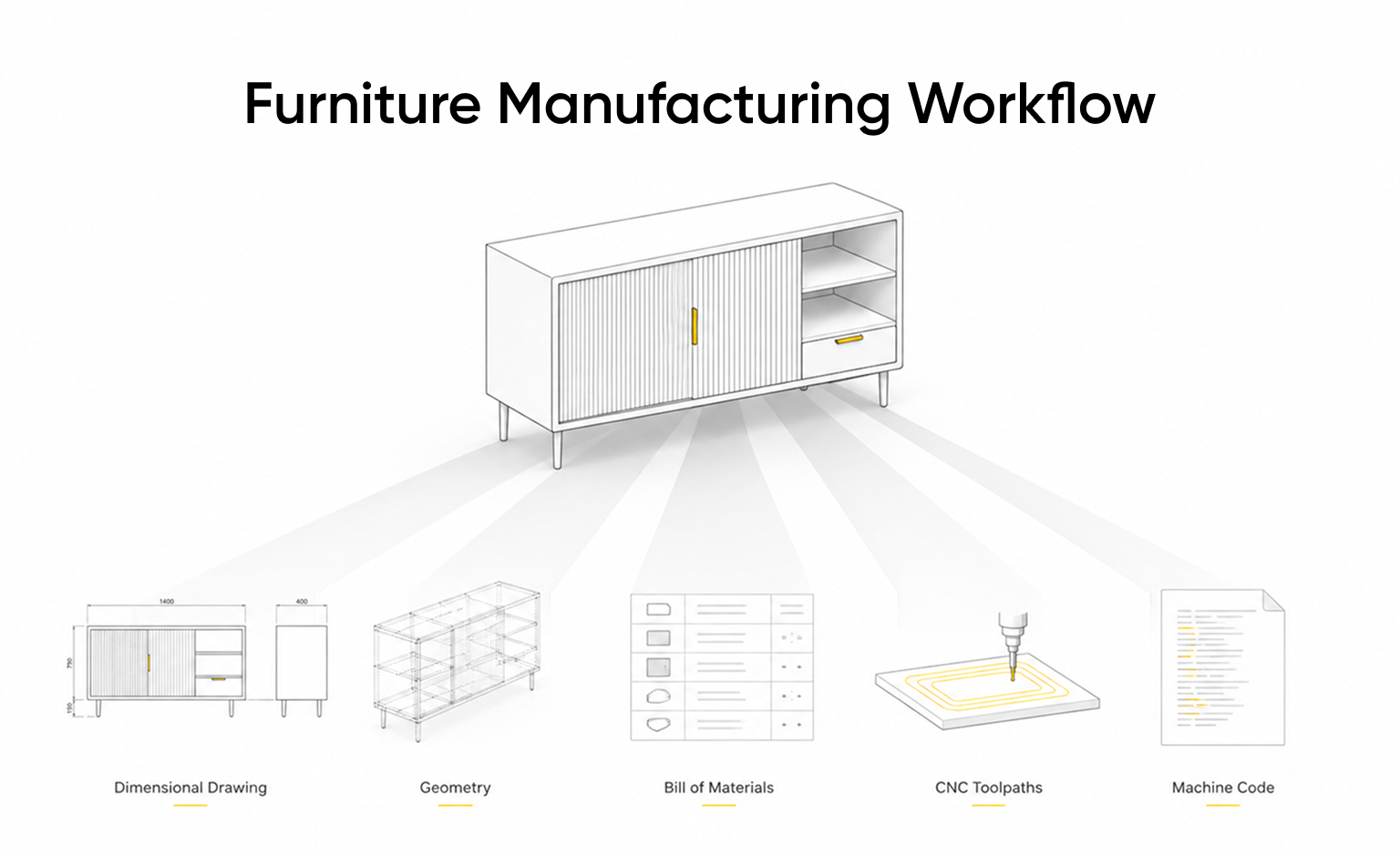
Our answer was structural rather than additive. Instead of adding one more disconnected tool to the stack, we placed the manufacturing knowledge where the geometry already lived: on the same parametric model, in the same cloud. That meant one model now carried everything a furniture product needed to travel from a customer’s click to a running machine:
- The visualization the customer sees and interacts with
- The rules that define what they can configure
- The price, calculated directly from the model rather than estimated from an image
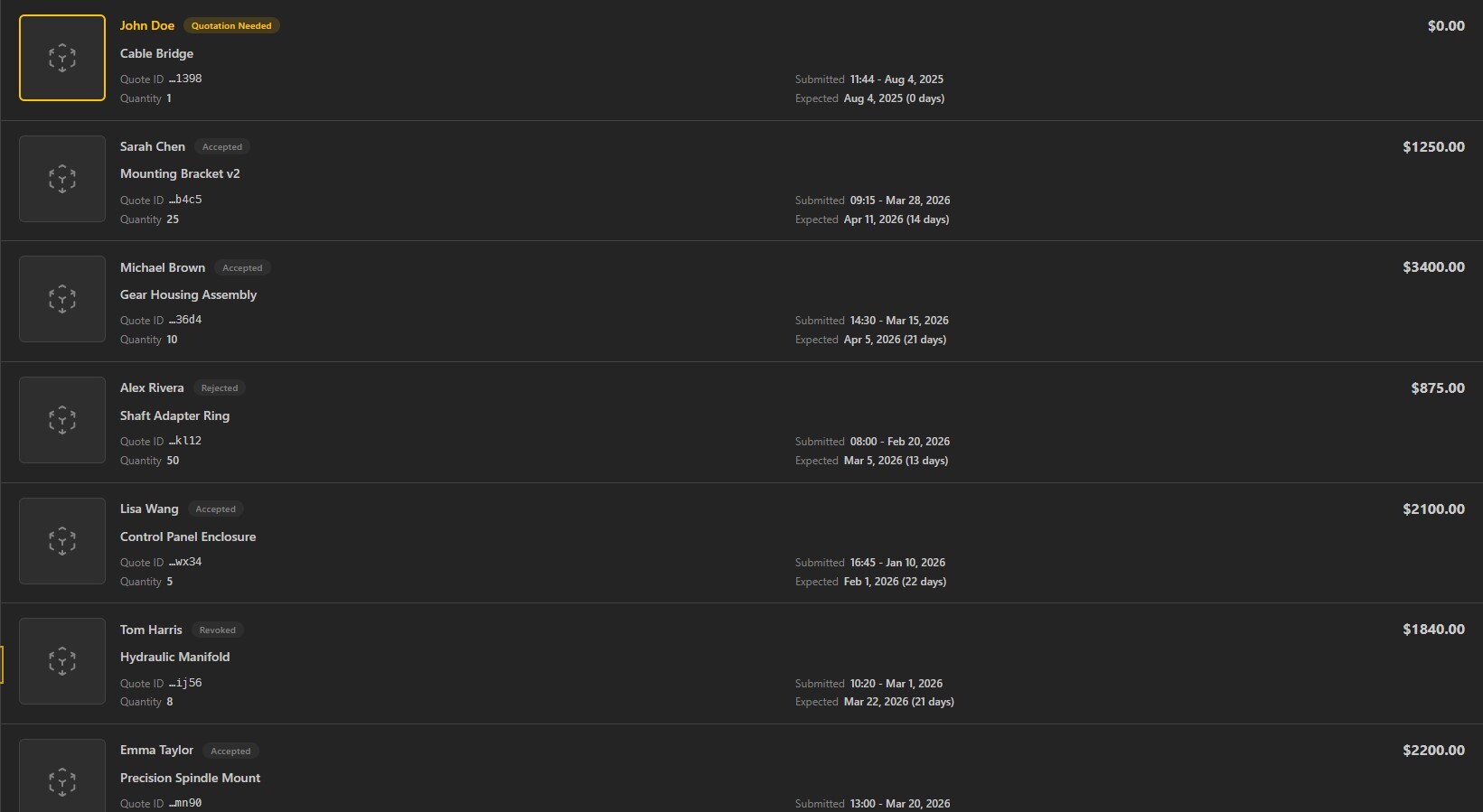
- The order, captured as exact parameter values instead of a screenshot and a note
- The production geometry, regenerated automatically from those parameters
- The machining operations, defined once and linked directly to the model
- The machine-ready file that ultimately goes to production
Every stage is a view of the same model, not a separate file exported and passed along to the next program. Nobody re-enters what the system already knows.
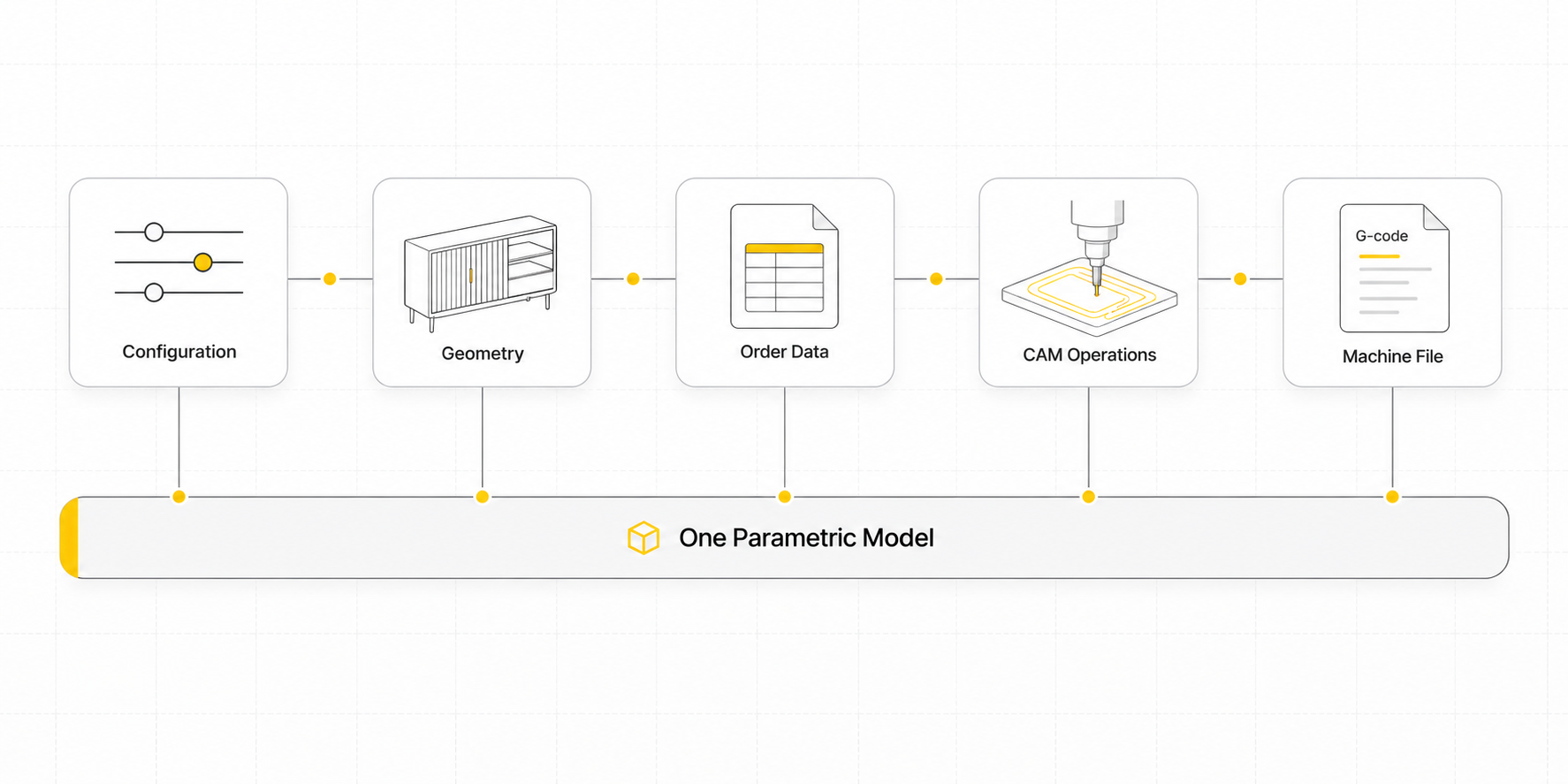
On your customer’s side, all of this feels familiar. They drag a dimension, swap oak for walnut, and watch the price update. On your side, the order arrives carrying the exact parameters the customer chose. Nobody reopens a file and redraws the customer’s version. The geometry regenerates, the prepared operations attach to it, and the machine file comes out the far end.
The customer makes the choices. You own the rules.
What we have, and what comes next
We are careful not to oversell this. It is not yet a universal CAM platform for every machine, controller, and operation. We built it and proved it on a real production case: one machine environment and a defined set of operations, because a working example teaches more than a promise. Reaching new machines and processes will take new operations, machine-specific post-processing, and testing, every time.
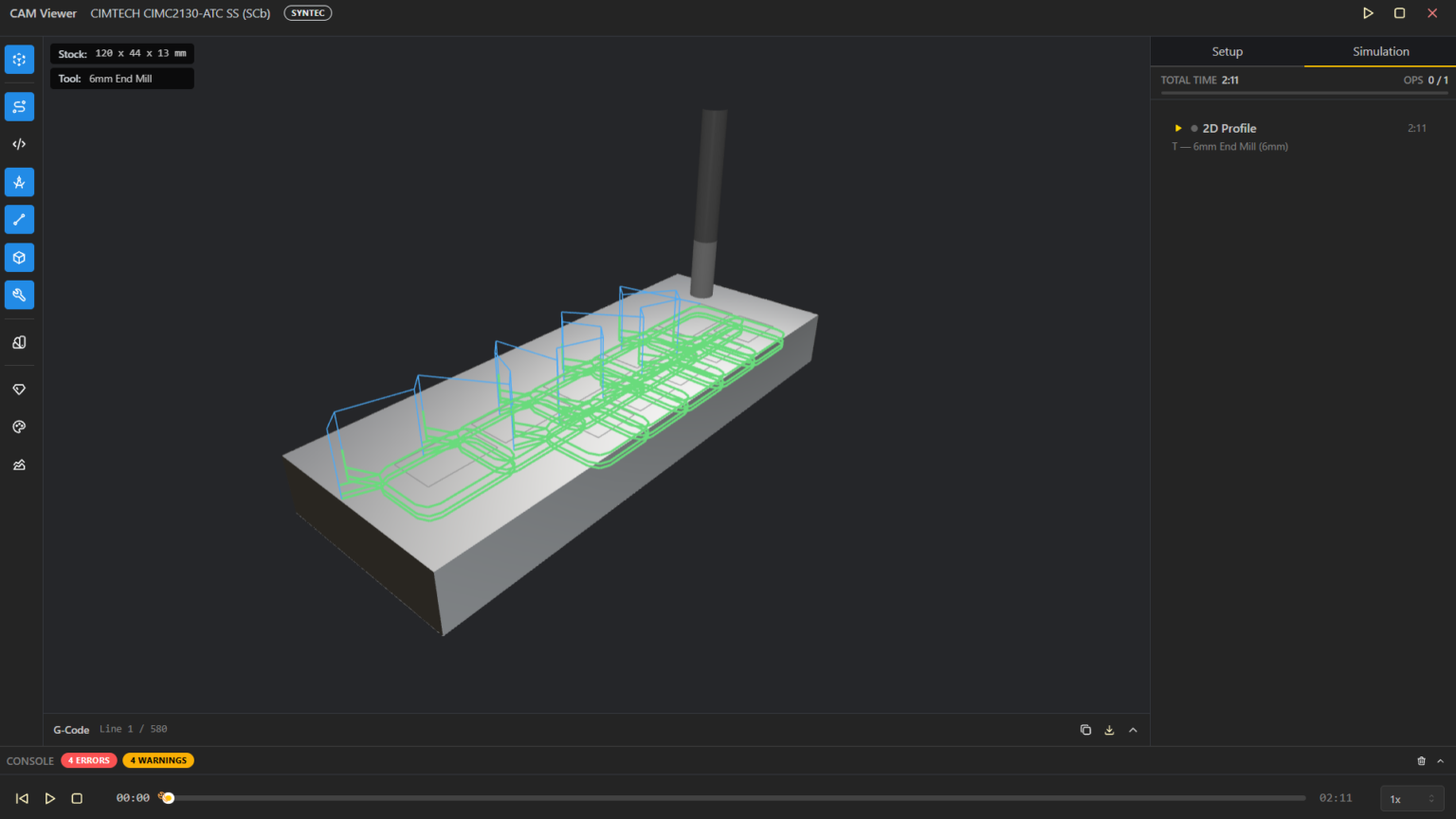
What matters is that the hard part is behind us. The path from configuration to geometry to order to machining to a machine-readable file exists and runs in production today. Everything ahead is widening a road we have already built, not searching for one.
Try It Yourself: From Model to G-code
The fastest way to understand this furniture manufacturing workflow is to run it yourself. We are sharing the exact script behind this article so you can open it in BeeGraphy, see how the model and its machining operations are built, and generate the G-code from your own browser.
- Open the script: https://beegraphy.com/workspace/edit/69e77780ff178b54613f3947
- Follow the tutorial: https://beegraphy.com/blog/geometry-to-g-code/ for a step-by-step walkthrough of generating the G-code from the model
If a machine error appears when you run the script, it is caused by a machine mismatch: the script was created on a different machine setup than yours. To fix it:
- Delete the existing Machine node from the script.
- Add a new Machine node in its place. This ensures no machine mismatch occurs between the original author’s setup and yours.
- Select your machine from the dropdown.
- Run the script again.
Where BeeGraphy is going
BeeGraphy is growing from a parametric design tool into an end-to-end platform for configurable manufacturing, and furniture manufacturing is where that road is being proven first. One product model carries visualization, configuration, pricing, orders, bills of materials, production geometry, CAM, and finally the code a machine runs.
We are not trying to hand furniture manufacturers one more standalone tool. We are building a single system where your customer’s choices move, without anyone retyping them along the way, toward something a CNC machine can actually cut.
If your furniture manufacturing workflow still runs on emails, redraws, and re-entered data, those gaps are costing you time and accuracy on every order.
We built a design tool. Furniture manufacturers asked for a workflow. They were right.