Table of Contents
How BeeGraphy became a design to manufacturing platform
BeeGraphy did not start as four products. It started as one.
We built a visual editor for computational design that ran in a browser. Node-based, real-time 3D preview, several people in the same definition at once. The reason was simple: computational design was locked inside desktop software, one licence per seat, one person per file, and the collaboration that every other kind of design work had already moved to the browser for was still happening by email.
Our Timeline
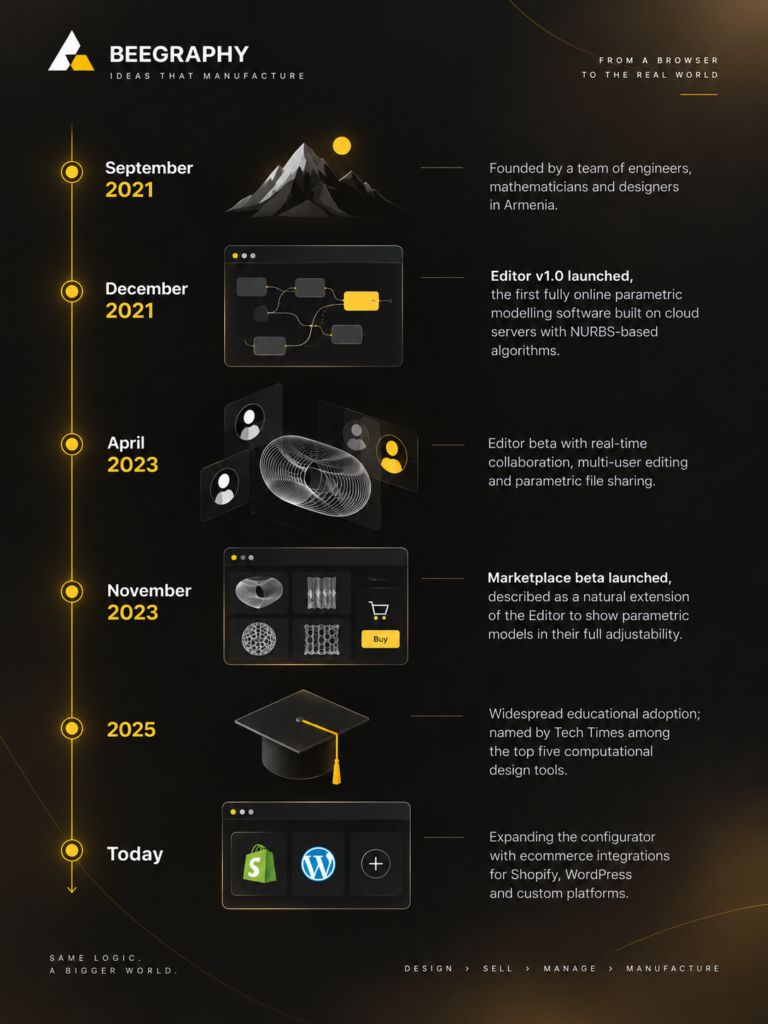
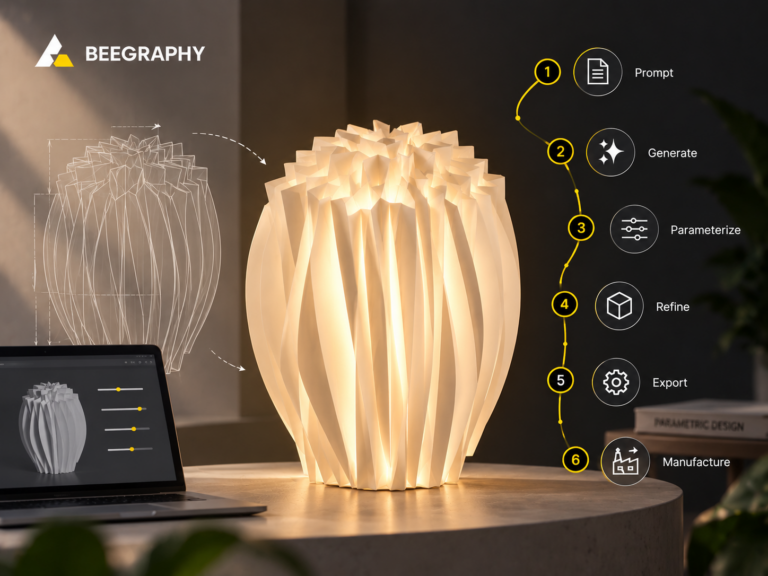
BeeGraphy timeline showing its journey from founding in 2021 to becoming a design-to-manufacturing platform.
Then we watched what people did with what they built.
The models were not objects. They were generators: a shelf that could be any width, a screen that could be any pattern. And the first thing every designer did with a finished generator was try to show it to someone who could not open the editor. A client. A customer. A colleague in sales. They exported screenshots, recorded videos, sent files to people who could not use them. A system that only its author could run was not doing its job.
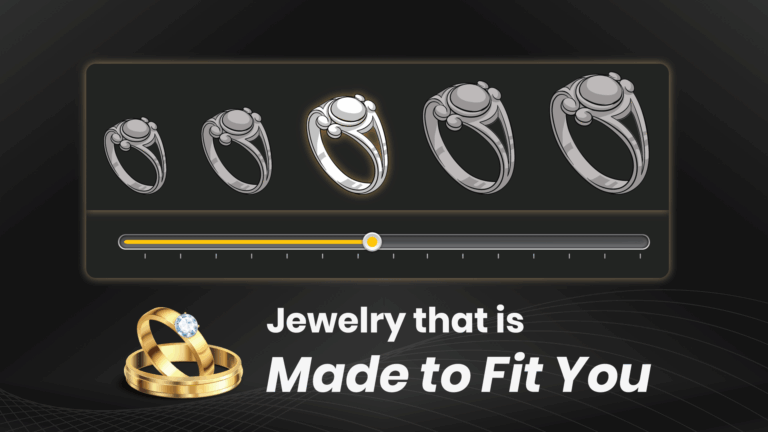
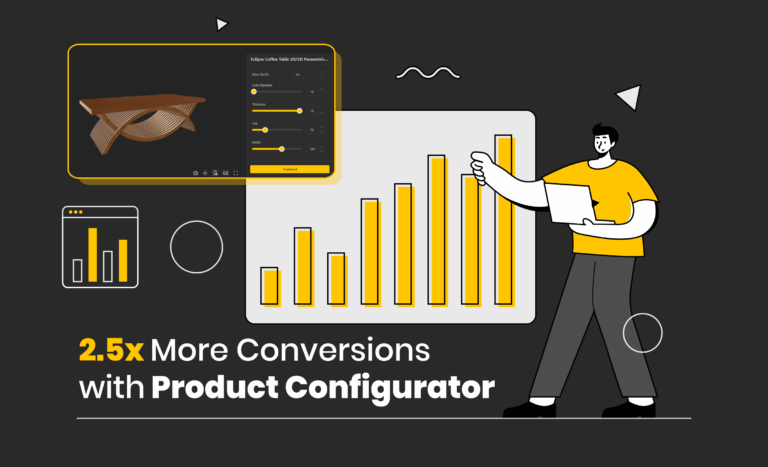
So we built the configurator. Choose the parameters that matter, attach pricing, put it on your own site. The generator became something a customer could operate.
That solved one problem and exposed the next. A configurator needs a model, and most businesses who wanted to sell configurable products could not build one. Meanwhile the designers who could were building them one client at a time, and the work stopped earning the day the project ended. Both sides needed the same thing: a way for a finished model to move from the person who built it to the person who needed it. So we built the marketplace, and made it sell scripts rather than files, so what you buy is logic you can fork and adapt, not an object you are stuck with.
Then customers started ordering, and the business behind the configurator was straight back into spreadsheets. What exactly was configured. How much material it needs. Which file goes to the machine. Whether it has been made yet. The configurator had solved selling and reopened everything after it. So we built the dashboard, where an order arrives already carrying its parameters, its Material Calculations and its production files, and where sales and production are managed in one place.
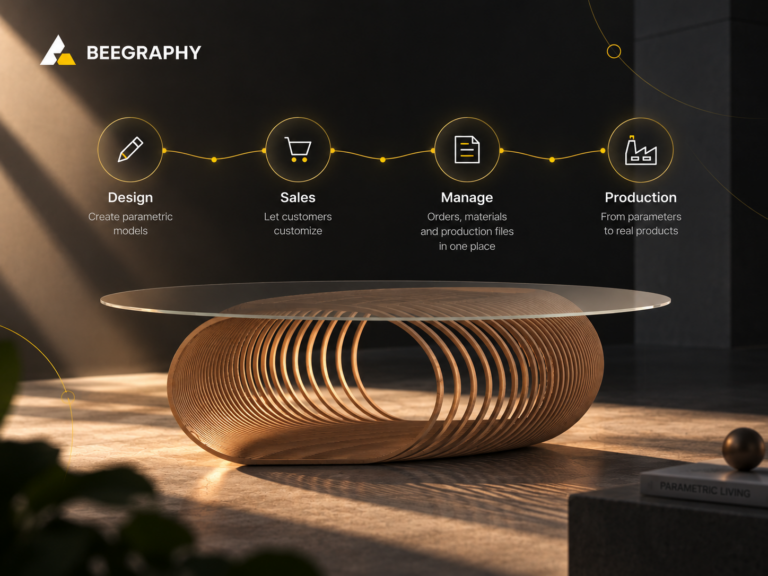
Four products, each one built because the previous one showed us a gap. Together they are a manufacturing platform that starts at design, and the rest of this post is about what that means for the people using it.
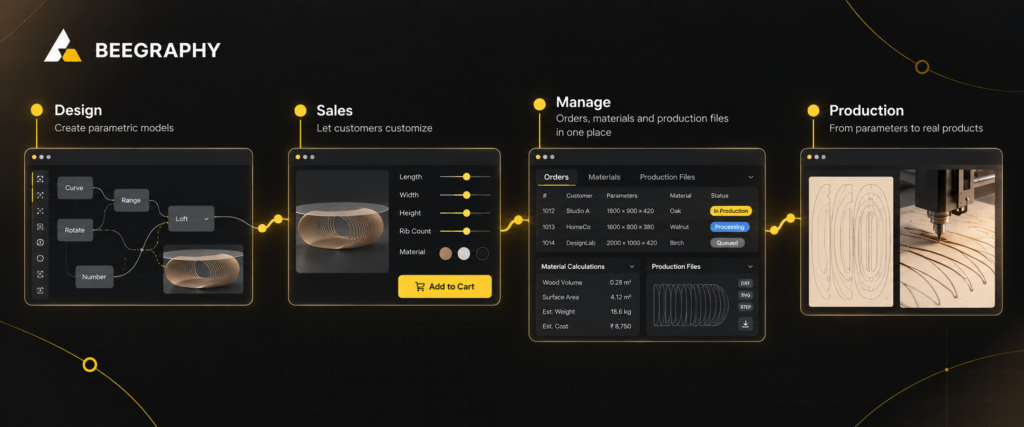
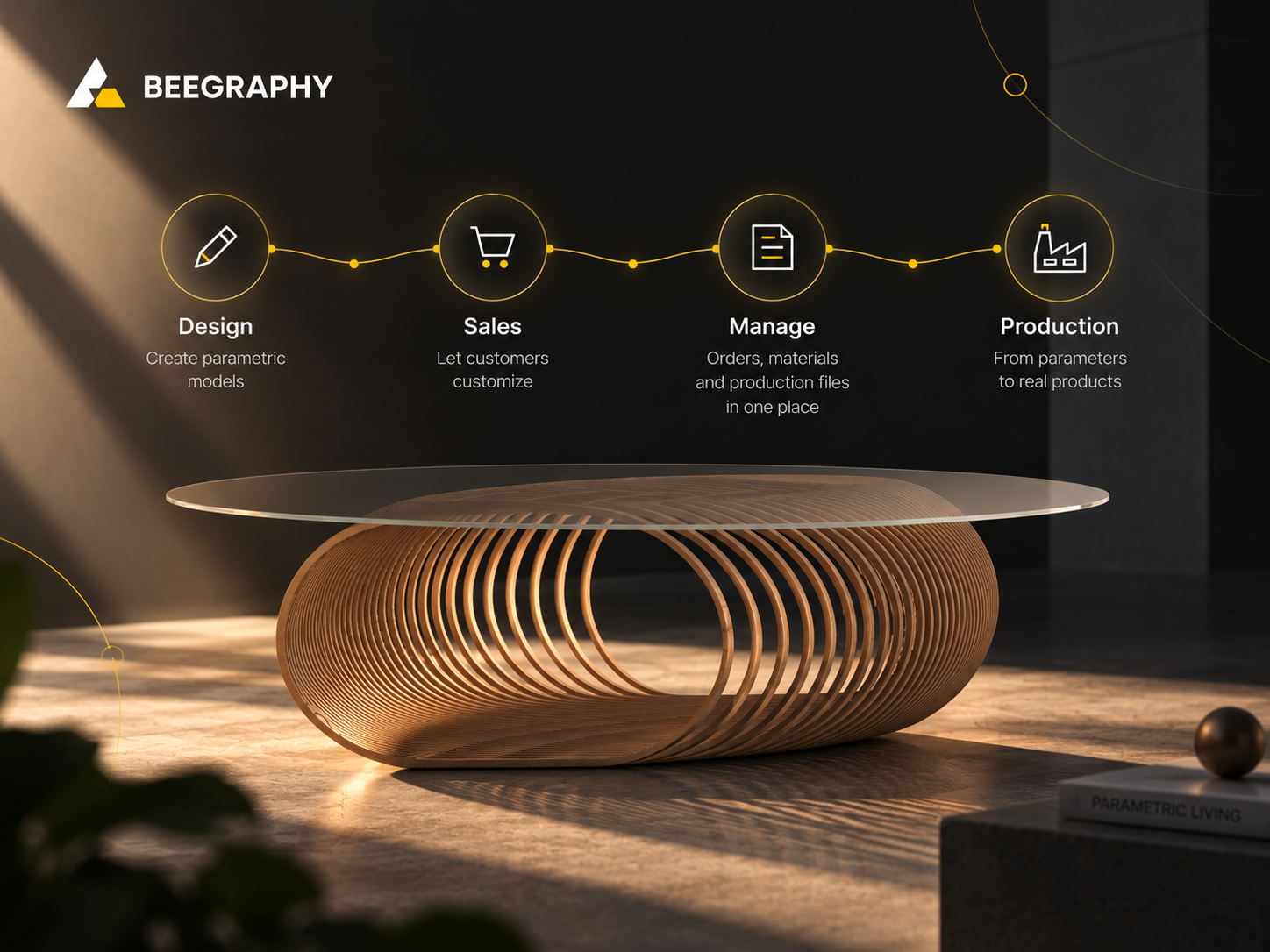
From parametric design to production: BeeGraphy connects design, sales, management, and manufacturing in one workflow.
The problems we saw in the industry
Selling a custom product means running three operations that pretend to be one. Design happens in CAD. Sales happens on a website, in an inbox and in a quoting spreadsheet. Production happens in a CAM package and on a shop floor.
Here is what breaks between them.
1. Custom means quoting by hand. A customer asks for a bookshelf 2,140mm wide in oak. Someone works out the material, someone prices it, someone replies two days later. By then the enquiry has gone cold or a competitor selling fixed sizes has shipped.
2. Every variation is a new drawing. A product family of twenty sizes is twenty models, twenty drawings, twenty things to keep current. Variation cannot scale because each variant is manual work.
3. Material estimates are somebody’s afternoon. Quantity, area, weight and cost are worked out per order, by hand, from a drawing that does not know what it is made of.
4. The design gets redrawn for manufacturing. What the customer approved is not what the machine reads. Someone redraws it to be manufacturable, and that redraw is where errors enter.
5. Orders arrive as descriptions. A person reads the order, interprets it, and re-enters it into production. When something is wrong on the shop floor, nobody can say which version was correct.
6. Design is locked to one person and one machine. Desktop tools mean one licence, one file, one author. Everyone else gets an export.
Each transfer between these stages costs a day. Each one is also a point where errors creep in, so the design that was approved, the product that was sold and the part that gets made slowly drift apart from each other.
None of this is a tooling problem. The tools are fine. It is structural: the product exists as a drawing, and a drawing has to be manually translated into everything else the business needs.
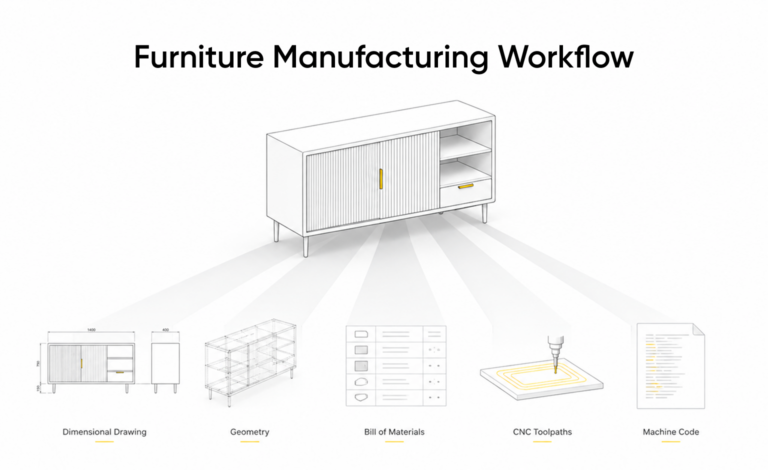
Define the product as a set of rules instead, and the translations stop. Geometry, material quantities, price, cutting files and orders become readings of one model rather than documents that must be kept in agreement.
Who a design to manufacturing platform is for
Three groups have this problem badly enough for a design to manufacturing platform to be worth adopting.
Parametric designers and freelancers. They can already build computational models and sell that skill by the hour. Their ceiling is their calendar. They need a way to turn a model into an asset that earns more than once.
Ecommerce businesses selling configurable products. Furniture, lighting, jewellery, interior fittings, anything where customers want their own dimensions. They lose orders to quoting delays and cannot scale variation, because every variation is manual. Most do not design and do not want to.
Custom manufacturers. CNC shops, fabricators, furniture and stair companies. Machines, a product range, a backlog. Their version is the worst, because their chain does not end at checkout. It ends at a machine, and something has to become a cutting file.
What connects the three is repetition with variation: the same logic running again and again with different numbers.
What a design to manufacturing platform contains
Four parts, in the order a model travels through them.
Editor. Browser-based and node-based. It covers geometry, real-time visualisation, material data attached to the model, and CAM in the same environment, so there is no separate stage where a design gets prepared for manufacturing.
Marketplace. Sells scripts, not files. Buyers get logic they can fork and adapt, and businesses find models without building them.
Configurator. Exposes chosen parameters and pricing logic, embedded white-labeled on your own site.
Dashboard. Where orders land carrying their parameters, Material Calculations, production files including G-code, and a parts list. Plus order tracking, inventory, quotes, team access and statistics.
Three automated workflows
Nobody uses all of a manufacturing platform. Where you enter depends on what you do.
The designer
Editor → Marketplace.
The problem. They can build computational models and are selling that skill by the hour. Every project starts from zero, every fee is capped by a calendar, and the work they finish stops earning the day it ships.
The process.
- Build the logic in the editor: a jail’s screen where width, height, pattern, opening density, thickness and material are inputs.
- Set safe ranges on each parameter, so the model cannot produce something invalid.
- Publish to the marketplace as a script.
- Buyers download it, fork it, and adapt it to their own products.
What it solves. On a design to manufacturing platform, a file sells once but a generator sells repeatedly without being used up. Published models also demonstrate capability rather than describing it: anyone can open the logic and see how it thinks.
Many designers stop here and never process an order. That is a complete use of the platform.
The ecommerce business
Marketplace → Configurator → Dashboard.
The problem. Custom means quoting by hand. A customer asks for a bookshelf 2,140mm wide in oak. Someone works out the material, someone prices it, someone replies two days later, and a competitor selling fixed sizes has already shipped. Variation cannot scale, because every variation is manual work.
The process.
- Buy a model from the marketplace. For products that need something purpose-built, enterprise customers can contact us and our team builds it.
- Expose only the parameters a customer should control. Not everything the model can do.
- Attach pricing logic to those same parameters.
- Embed the configurator on the existing storefront, white-labeled.
- Orders arrive in the dashboard complete, with parameters, material figures and production files attached.
What it solves. Quoting stops being a task, because the design to manufacturing platform prices what it draws. Because price is generated from the same parameters as the geometry, a customer cannot configure something that has not been priced. Because ranges live in the model, they cannot configure something that cannot be made. Validity stops depending on someone catching it on review.
This person never opens the editor.
The manufacturer
Editor → Configurator → Dashboard.
The problem. Their chain does not end at checkout, it ends at a machine. Every order has to become a cutting file, and somewhere in that chain a person redraws a design that was already drawn, purely to make it manufacturable. That redraw is slow, it is where errors enter, and it is where the approved design and the produced part quietly stop matching.
The process.
- Our team rebuilds their existing products as parametric models from CAD files, drawings, photographs or dimensions. They do not open the editor themselves.
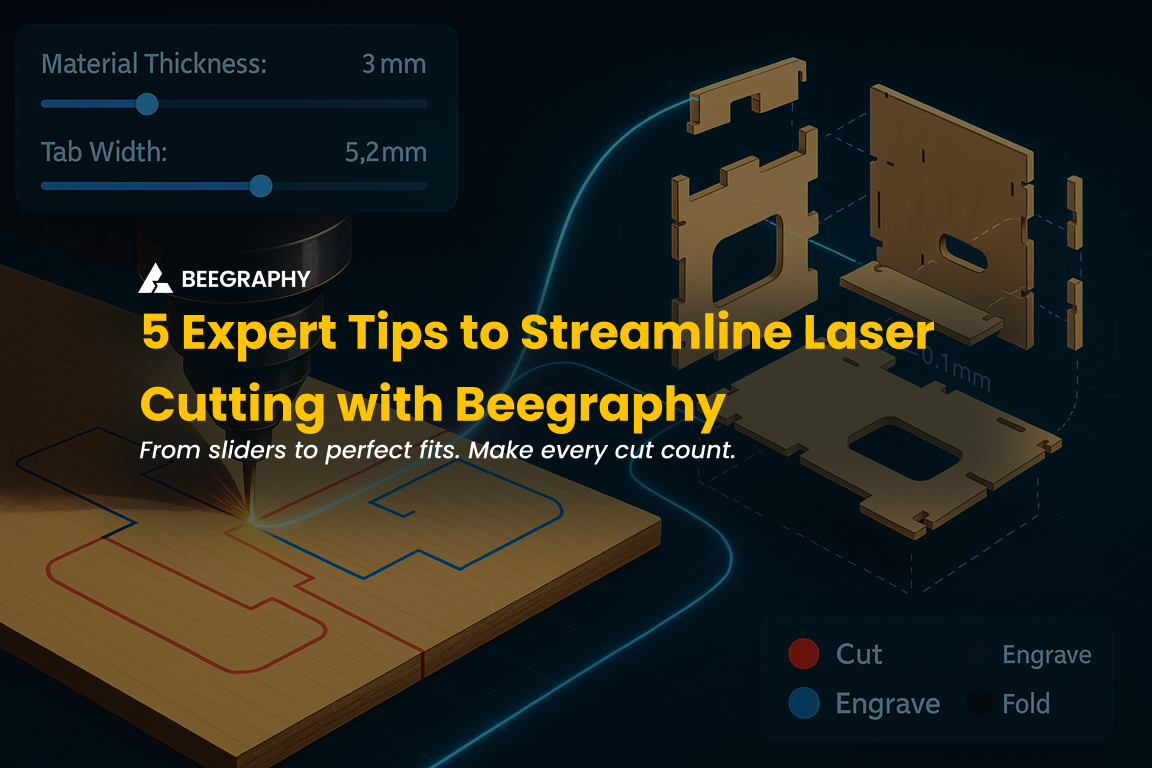
- Machine constraints go into the model: stock sizes, thicknesses, minimum radii, bed dimensions.
- The configurator is set up and connected to their site.
- A customer configures a product and orders.
- The order lands in the dashboard carrying its parameters, Material Calculations, a parts list, and production files including G-code.
What it solves. The redraw stage disappears. That is the whole reason a design to manufacturing platform exists. The G-code comes from the same definition that produced the image the customer approved and the price they paid, so there is no gap for the design, the sale and the cut part to drift apart in. Material estimation stops being an afternoon per order and becomes a property of the order.
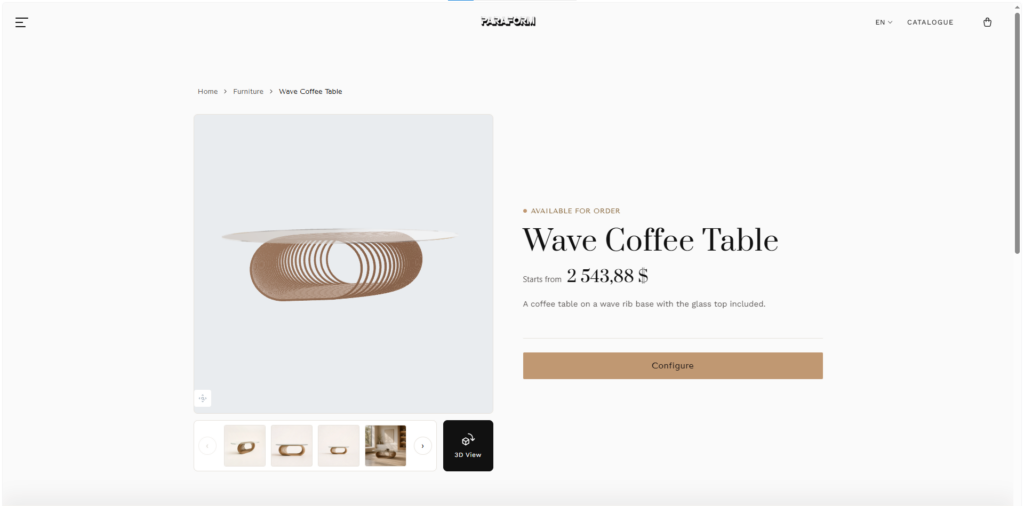
A configurator embedded on a storefront, parameter controls visible, price responding to a change. Real UI
Where the three connect
The workflows are not parallel. They feed each other.
A designer’s script becomes a business’s product. A business’s configured order becomes a manufacturer’s production run. And every business or manufacturer buying from the marketplace is a download that pays a designer.
That is what the marketplace does, and why it sits inside the design to manufacturing platform rather than beside it. This industry has spent years improving how files get handed between companies. If the model itself can move, intact and still editable, there is no handover to improve.
It does not replace what you already run
A design to manufacturing platform is a layer, not a migration.
You keep your storefront. It embeds into Ecommerce Platforms (Shopify, WooCommerce, Wix, Squarespace, Etsy, Magento, Salesforce, etc…) or into a custom site via API.
You keep your brand. Embeds and the dashboard are white-labeled. Your domain, your identity. Customers never encounter us.
You keep your back office. The dashboard syncs to your storefront and exports to ERP. It sits alongside your systems rather than asking them to move.
You keep your machines. Standard formats: DWG, DXF, SVG, STEP, OBJ, STL and G-code for CNC, laser and waterjet. No proprietary format, no new hardware.
You keep your team’s tools. Designers working in other software can bring geometry in as a starting point.
Each group also operates independently. A designer publishing to the marketplace never sees anyone’s order pipeline. A business running a storefront never sees the node graph. A manufacturer running production is not managing a design tool.
Where this does not fit
If you make genuine one-offs with no repetition, a design to manufacturing platform costs more than it saves.
If your product has no meaningful variation, a configurator has nothing to configure.
If you only want to sell parametric work to other designers, you need the editor and the marketplace, and the rest is irrelevant to you.
Where a manufacturing platform pays is repetition with variation. A product family. A façade system. A stair company that has built four thousand stairs, all different, all the same underneath.
The point
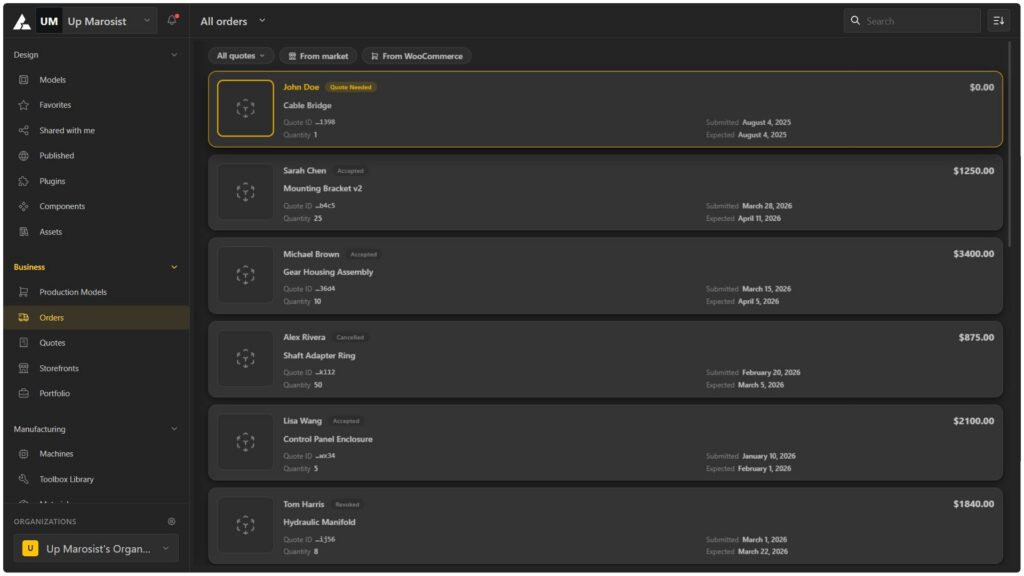
One dashboard for the entire product lifecycle—design parametric models, sell customizable products, and manage orders, quotes, materials, and production from a single workspace.
This is not about having four products. You could buy four separate tools and still have gaps between them, and the gaps are where the time and the mistakes go.
On a design to manufacturing platform there are no gaps. Build the product once, and the design, the price, the cutting file and the order all come from that same model.
Open Editor →
Explore Marketplace →
FAQ’s
Do I need to know computational design to use a design to manufacturing platform?
To build models, yes. To run a business on a design to manufacturing platform, no. Start from a marketplace model or have our team build one, and work entirely in the configurator and dashboard.
Does this replace my current website or ERP?
No. A design to manufacturing platform embeds into your existing storefront and the dashboard exports to your ERP. An added layer, not a migration.
Does the editor handle manufacturing, or do I need separate CAM software?
CAM is part of the editor, which is what makes this a design to manufacturing platform rather than a design tool. Machining setup, nesting and toolpath visualisation happen in the same environment as the design.
Can I use my existing 3D models?
Existing geometry is a useful starting point, but the value comes from parametric logic, so a product is rebuilt as a system rather than imported as a shape. CAD files, drawings, dimensions or photographs are enough to work from.
What if we do not have anyone who can build the models?
Our team can build them for you and set up the configurator, then hand over the dashboard. From that point you run it yourself.