Table of Contents
Most of what makes a parametric model useful happens in the small steps: building a solid, wiring a graph, placing a hinge, sending a sheet to the router. When one of those steps takes extra work, it slows down every product you make. This BeeGraphy product update covers what shipped in November 2026, and every change in it is aimed at those everyday steps.
Modelling: New Solid Nodes in This BeeGraphy Product Update
The problem: Building a pipe, a spring or a turned part often meant making a surface first, then capping and closing it in separate steps. Every extra node is one more place for a graph to break when someone moves a slider.
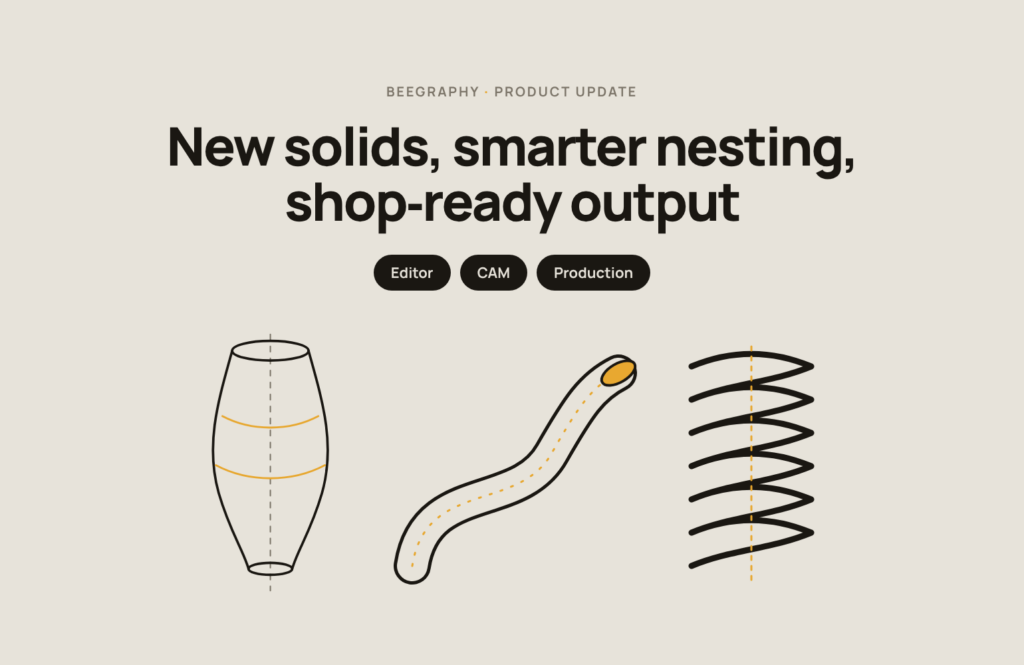
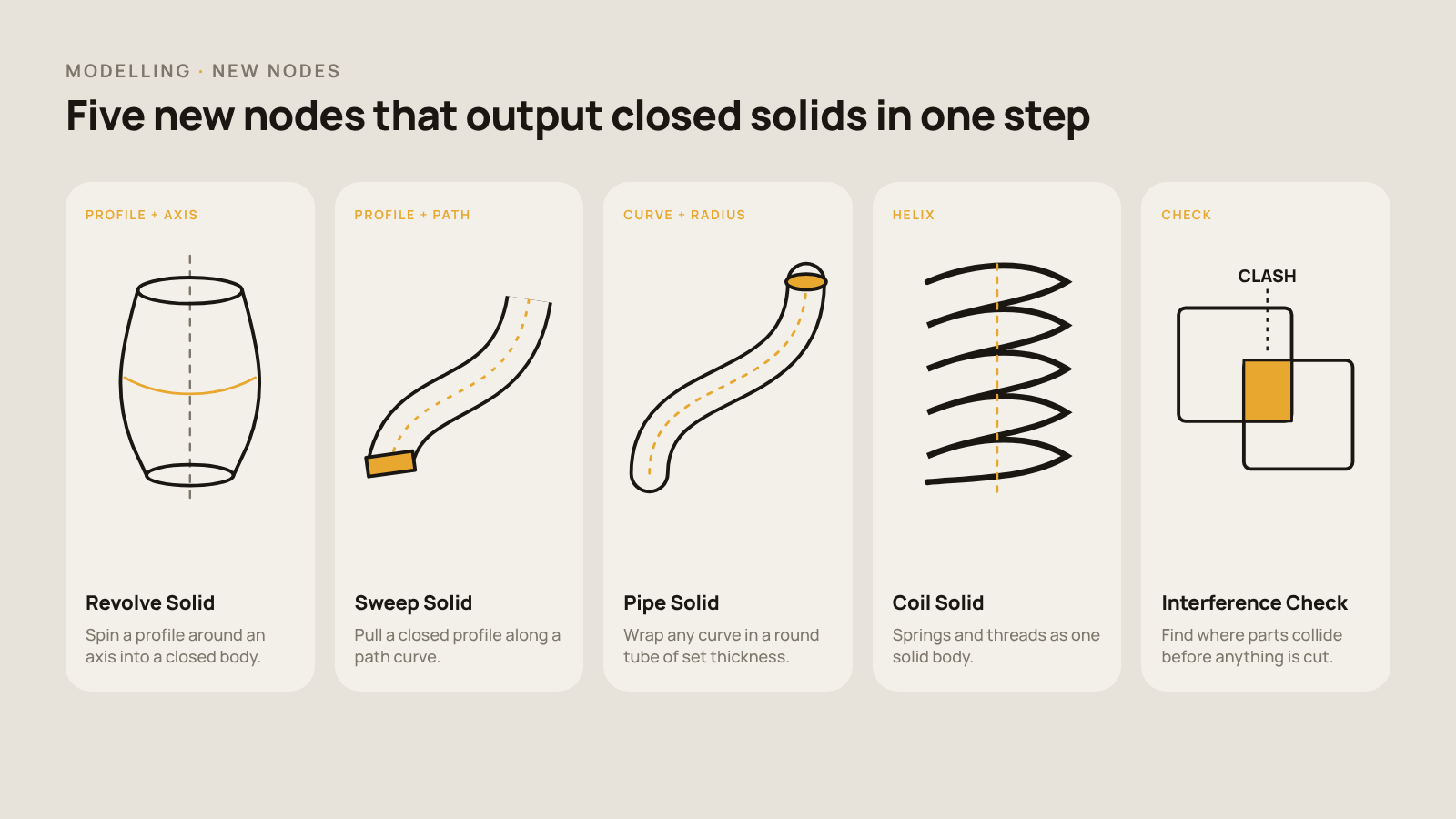
What we built: Five new nodes that give you a closed solid in one step.
- Revolve Solid spins a profile around an axis, for vases, knobs and turned legs.
- Sweep Solid pulls a closed profile along a path curve.
- Pipe Solid wraps any curve in a round tube, for frames, rails and cable runs.
- Coil Solid builds springs and threads as a single body.
- Interference Check shows where two parts collide, so you catch clashes before anything is cut or printed.
Better Geometry Nodes
We also improved Offset Curve, Curve To Surface, Loft Preserve Twist, Cap, Side Thickness and Interpolate, and reorganized their input and output ports so they are clearer to wire.
Graph Editor: Easier to Manage Large Graphs
The problem: As a model grows, the graph gets crowded. Adding a step in the middle of a chain meant unplugging and rewiring connections by hand, and picking one wire out of a tangle was fiddly.
What we built: This BeeGraphy product update brings faster ways to rearrange a graph without breaking it.
- Groups: collect related nodes into a group and manage them as one unit.
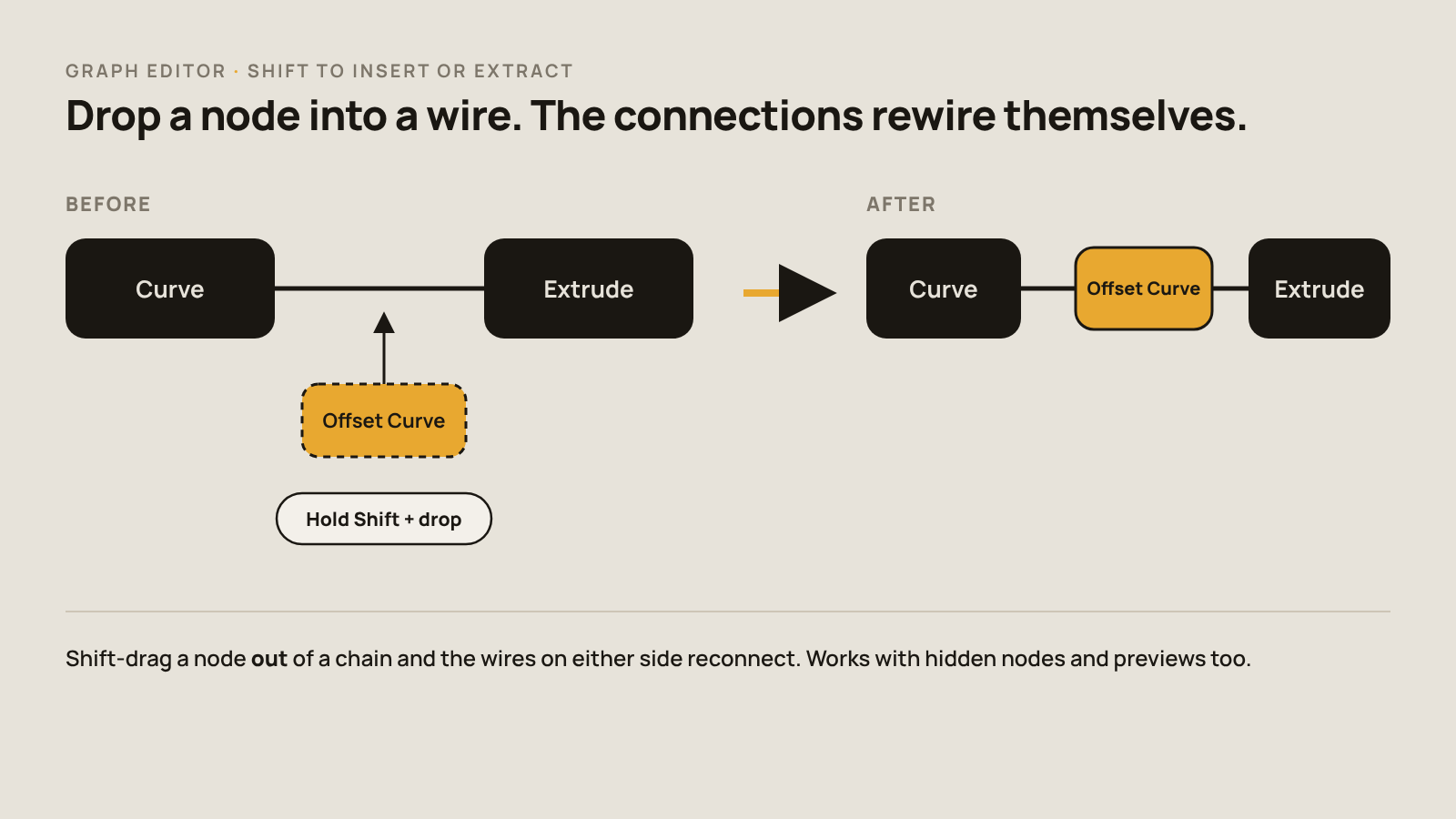
- Shift to insert or extract: hold Shift and drop a node onto a wire to insert it, or drag it out to remove it. The connections on either side rewire themselves. This works with hidden nodes and previews too.
- Cleaner connections: select and delete a single connection more easily, and relays behave more reliably.
- Better navigation: smoother editing when zoomed out, better zooming on large models, orthographic measurements and more responsive node controls.
Carve and Sheet Factory: More Control Over Cuts and Sheets
The problem: Trimming a curve to an exact point was awkward when you knew the length you wanted but not the curve parameter. The direction a sheet grows in also wasn’t something you could set directly.
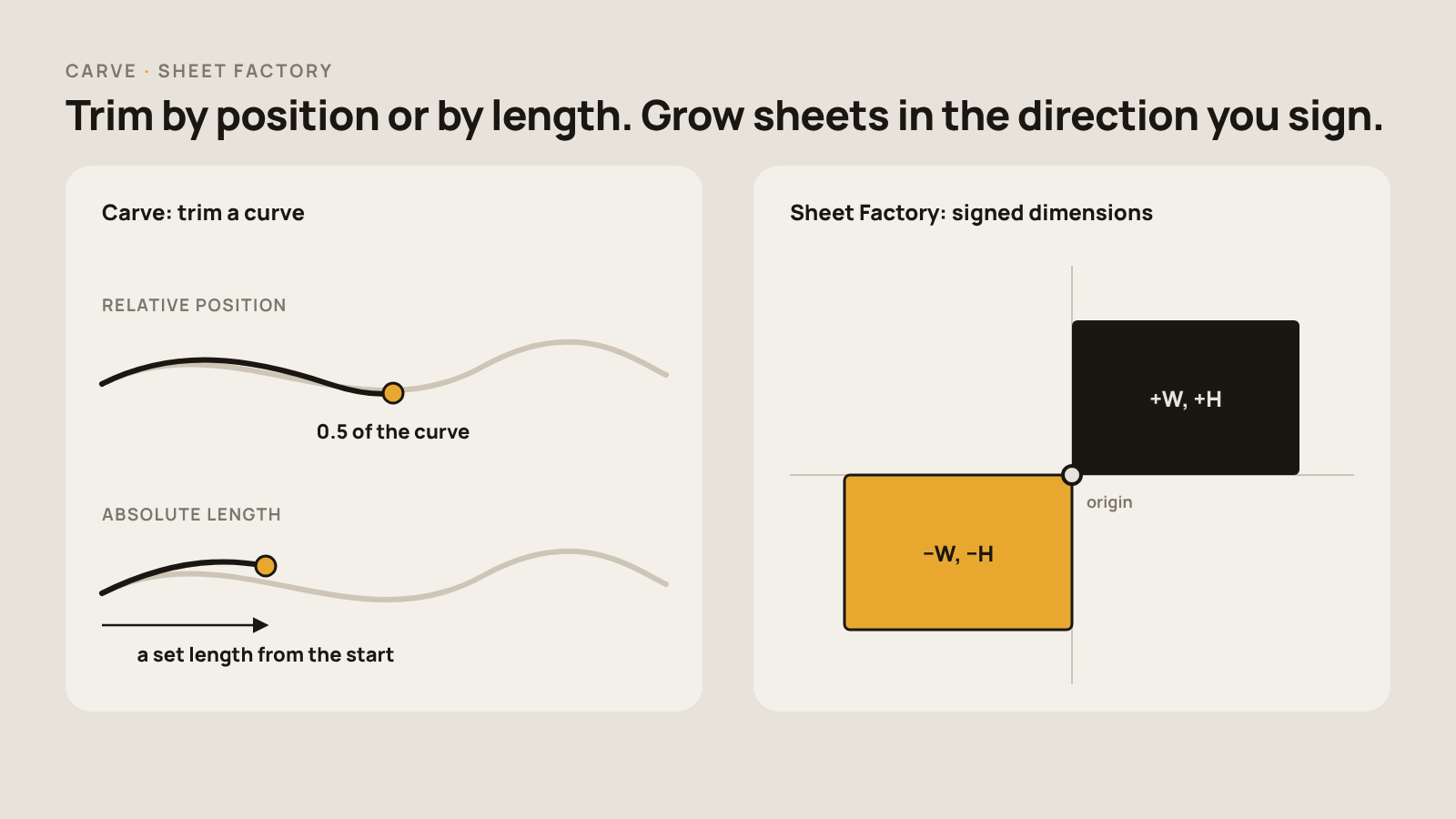
What we built: With this BeeGraphy product update, Carve can now trim curves by relative position (for example, halfway along) or by absolute length. In Sheet Factory, sheet dimensions are signed, so a negative value grows the sheet in the opposite direction from its origin. Panels land exactly where your design needs them.
Hardware: Smarter Placement and Real Costs
The problem: Placing hinges, handles and fasteners across every size of a product took extra setup. Positions were based on a part’s bounding box, which doesn’t always match where the hardware should sit. Hardware cost was also hard to see.
Auto Placement: By Size and By Point
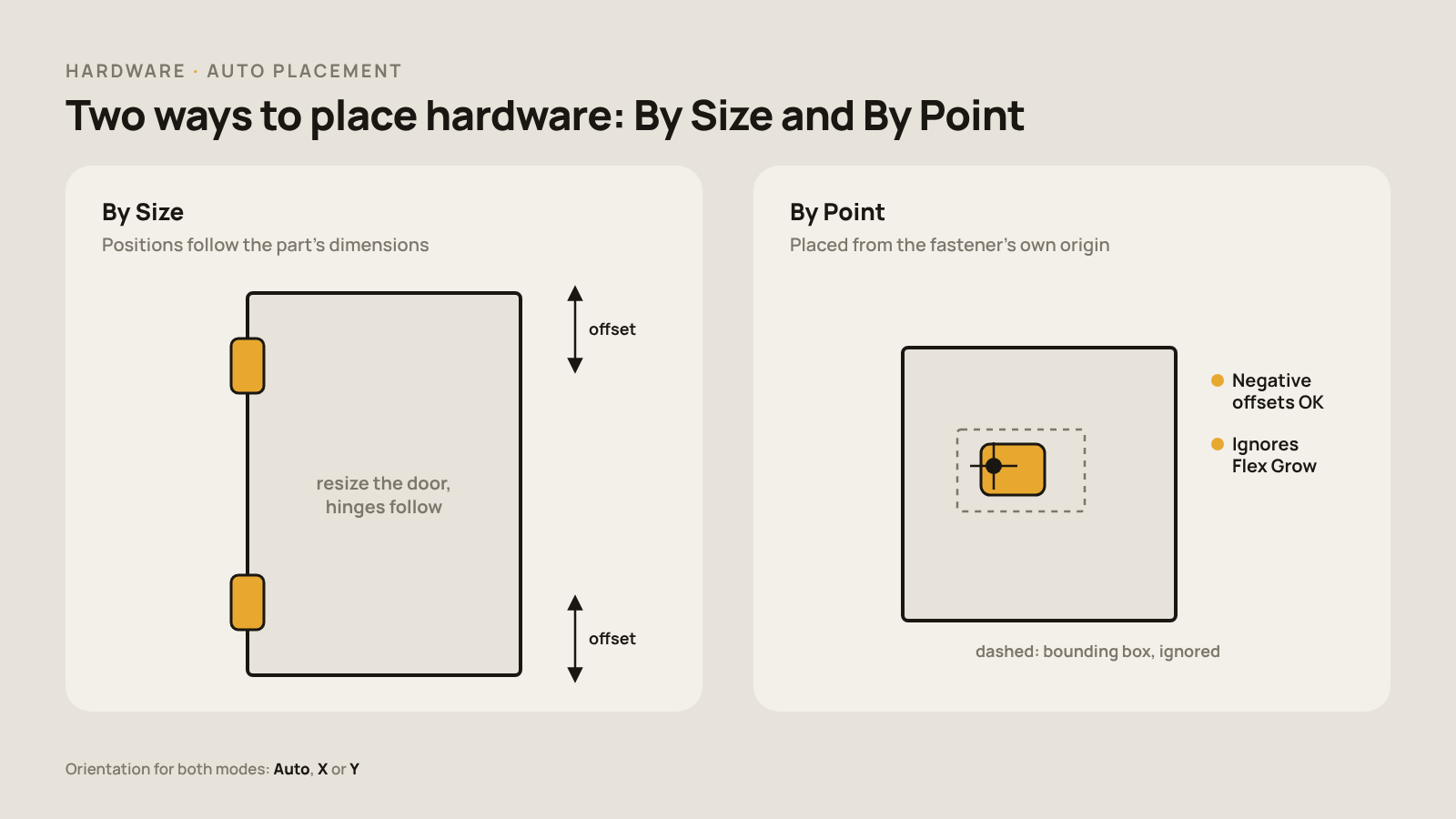
What we built: This BeeGraphy product update adds two placement modes and a choice of orientation.
- By Size positions hardware from the part’s dimensions, so it follows along when the part is resized.
- By Point places hardware from the fastener’s own origin point and ignores bounding-box offsets. It accepts negative offsets and ignores Flex Grow settings, so the hardware stays exactly where you put it.
- Orientation: choose Auto, X or Y for either mode.
Toolbox: Parametric Models and Fastener Costs
Toolbox Models are now parametric, so one hardware model can adapt to your design instead of needing a separate model for each size. BeeGraphy also calculates fastener costs, so hardware is counted in your price. We fixed issues with placing and saving machining operations, and added global settings to switch between Simple and 3D View and to show or hide operations.
Nesting: Respecting Grain and Texture Direction
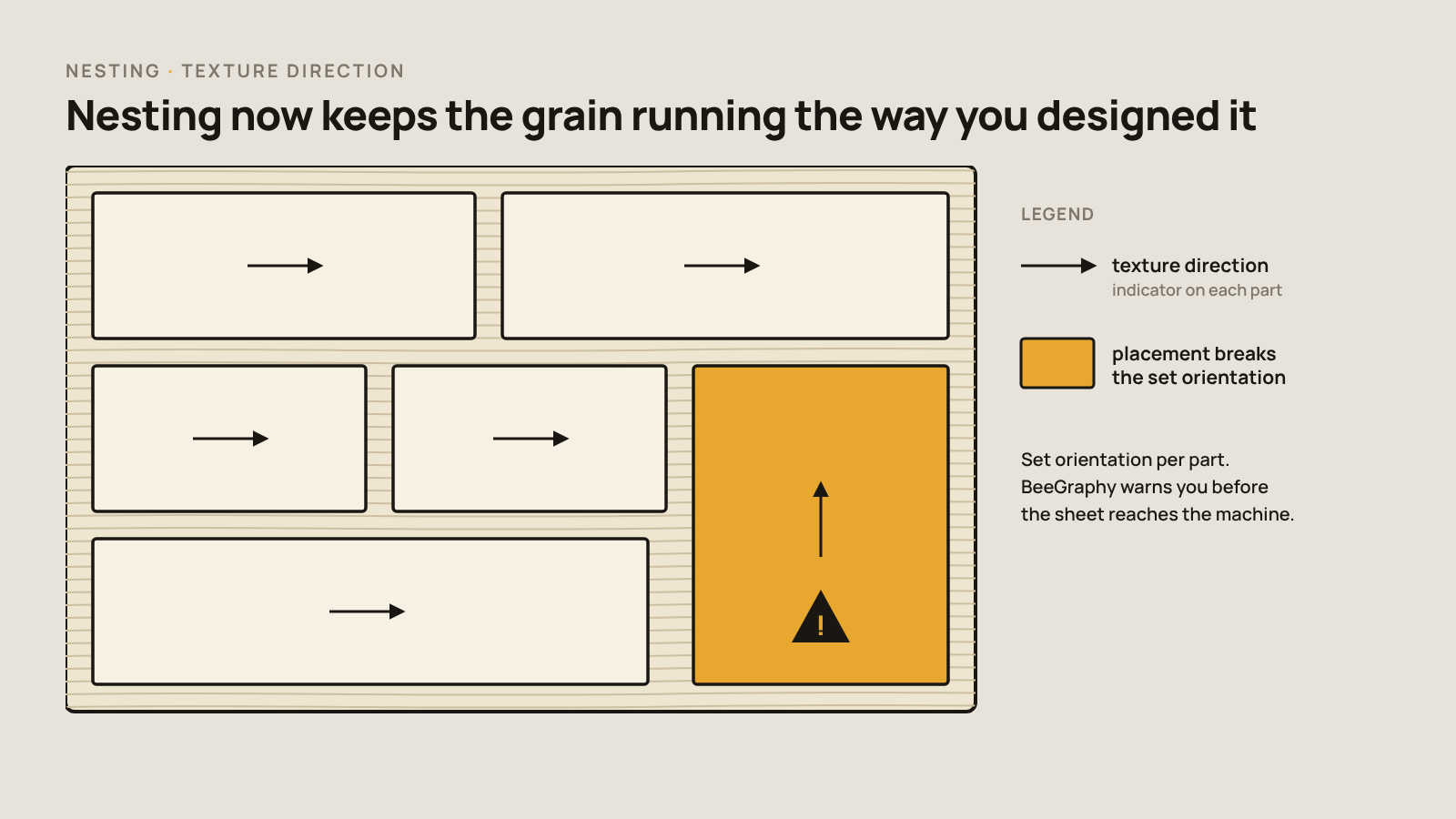
The problem: On wood veneer, laminate or any patterned board, grain direction matters. If a door panel is rotated to fit the sheet better, its grain can run the wrong way, and you only notice once the cabinet is assembled.
What we built: With this BeeGraphy product update, nesting understands texture direction. You can set the orientation of each part, and every part shows a texture-direction indicator on the layout. If a placement breaks the orientation you set, BeeGraphy warns you before the sheet goes to the machine.
CAM: Correct Z Origins and Better Toolpaths
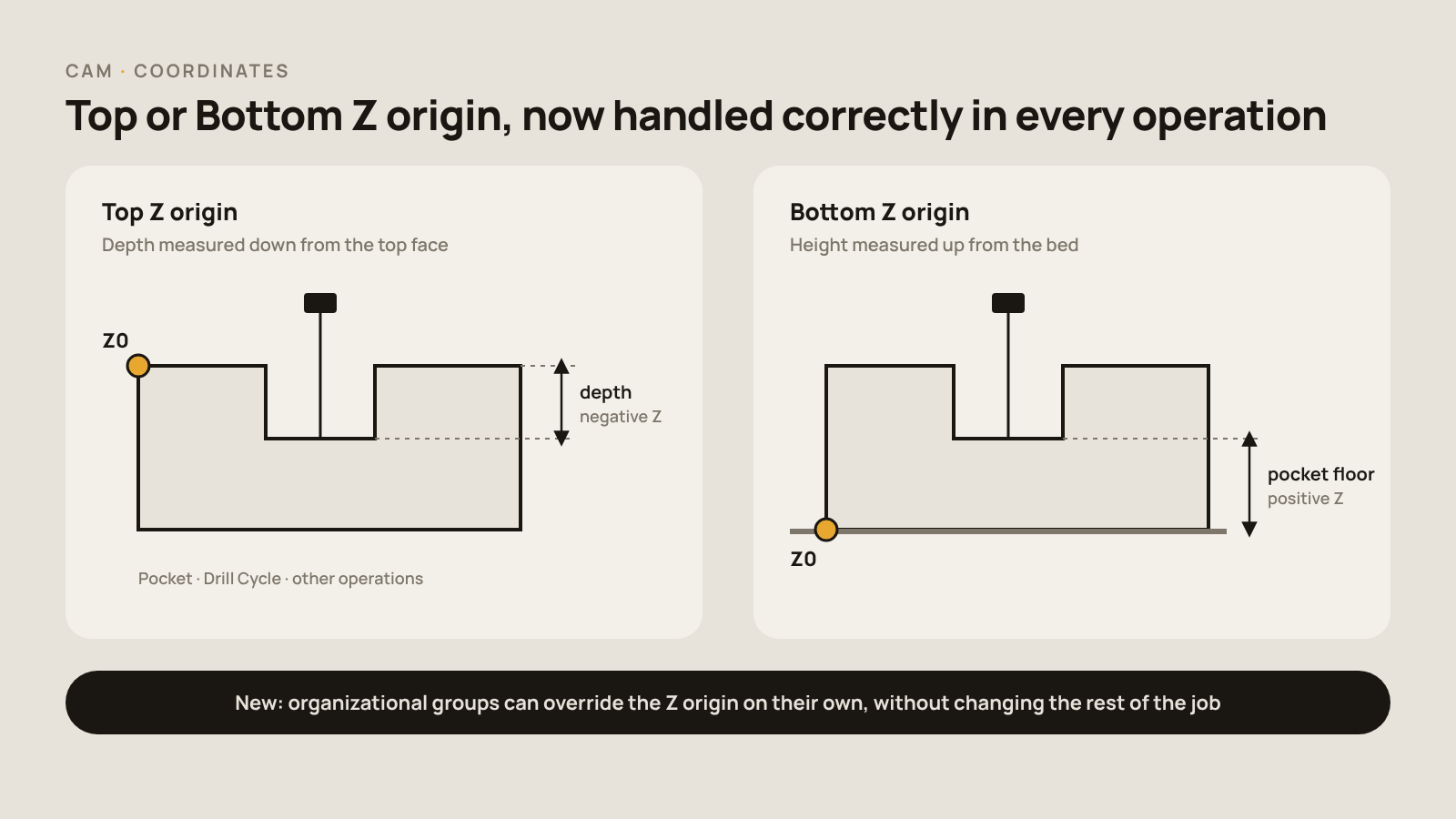
The problem: If the machine measures depth from the wrong surface, a pocket or drill hole comes out too deep or too shallow. Some groups of operations also need a different Z reference from the rest of the job.
Coordinates
What we built: In this BeeGraphy product update, we fixed how Top/Bottom Z Origin is handled in Pocket, Drill Cycle and other operations. Organizational groups can now override the Z origin on their own, without changing the rest of the job.
Toolpaths
- Better bridge (tab) sizes, placement checks and XY/Z previews, so you can see what the machine will do before it runs.
- Ramp entry, and a view of the workpiece.
- Rest machining, step-over set as a percentage, and zigzag finishing passes.
- Fixed G-code comments for Syntec controllers.
Production Package and Exports: Ready for the Shop Floor
The problem: A production file is only useful if the workshop can read it. That means clear labels, a material summary, machine programs in the right format, and text that displays correctly in the language your team works in.
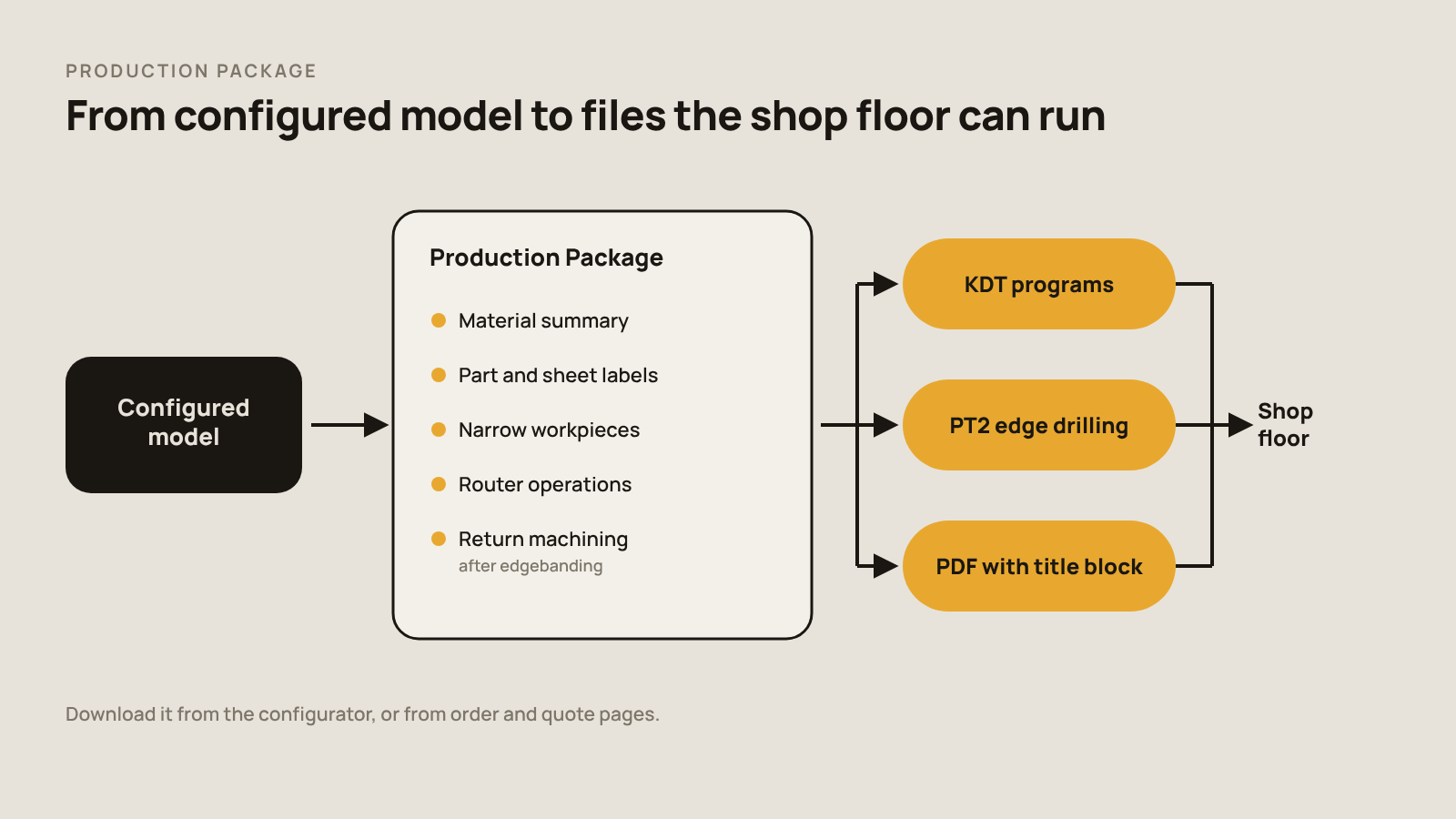
What we built: This BeeGraphy product update brings a fuller Production Package.
- Material summaries, plus labels for parts and sheets.
- Support for narrow workpieces.
- KDT program support, and PT2 export for edge drilling.
- Improved router operations and return machining, for parts that go back to the machine after edgebanding.
- Easier downloads from the configurator and from order and quote pages.
PDF and Text Export
The Text Exporter also gets a configuration port extension that keeps its settings.
That’s a Wrap for This BeeGraphy Product Update!
Everything in this BeeGraphy product update is live now. Open a model, try a new solid node or a Shift-insert in the graph, and run a nest with texture direction turned on.
If something doesn’t work the way you expect, or there’s a feature you want next, tell us. Your feedback shapes what goes into the next edition.